
The Pay With Metamask For WooCommerce plugin allows store owners to process refunds directly to a customer’s connected crypto wallet.
When a user pays with a crypto wallet, the transaction is completed on the blockchain. WooCommerce records this payment along with the customer’s wallet address. If a refund is issued, the plugin uses this stored address to send the cryptocurrency back automatically. Refunds are not processed through WooCommerce payment gateways, they are sent directly from your connected admin wallet to the customer’s wallet.
Issue a Refund
Follow these steps to issue a refund via crypto wallets:
- Before you can process refunds through crypto wallets, make sure that you have enabled the Refund option.
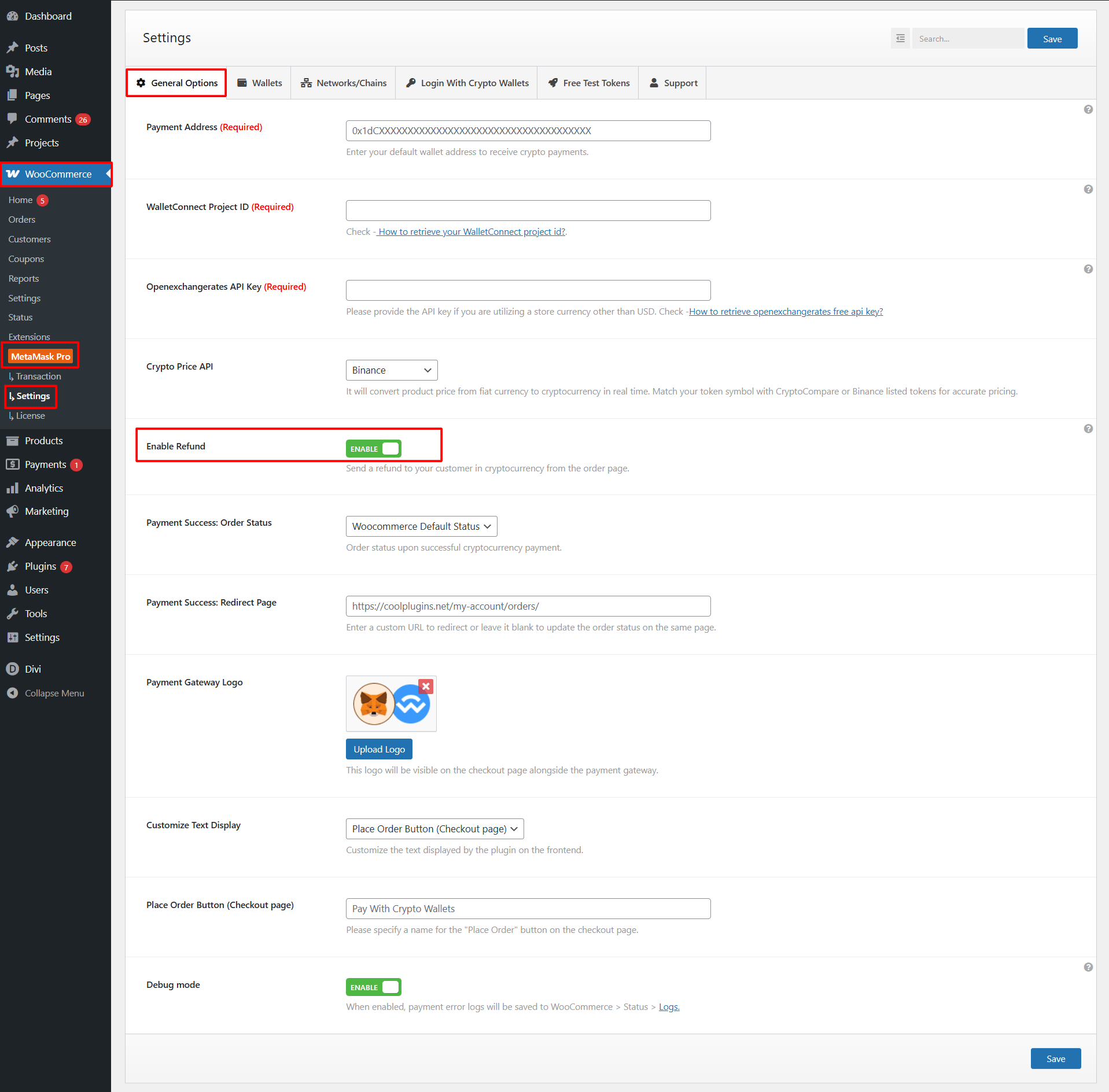
- After enabling, navigate to WooCommerce > Orders
- Select the order you want to refund. Make sure it was originally paid using a crypto wallet.
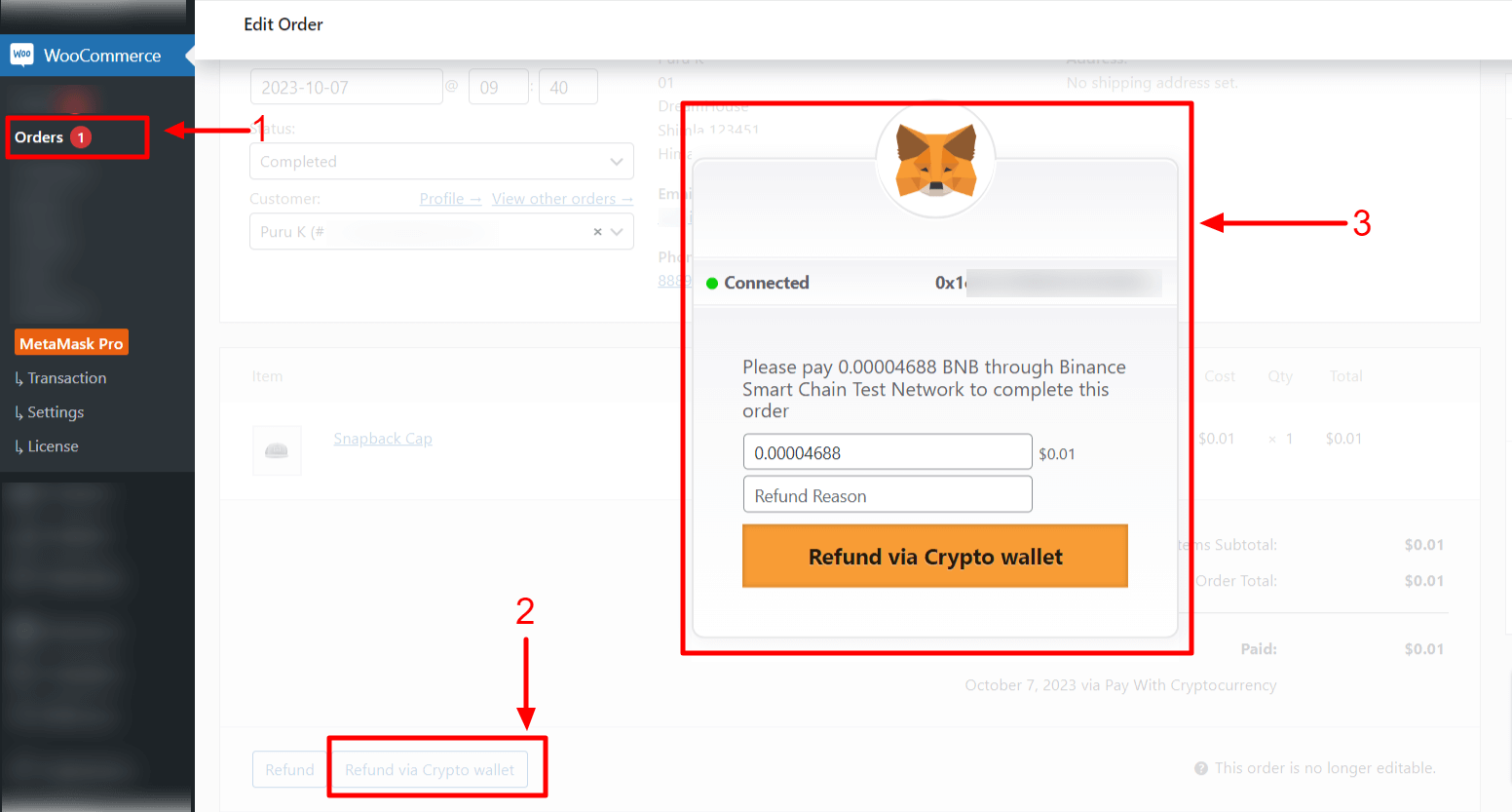
- Enter the refund amount, choose refund reason and click “Refund via Crypto Wallet“.
- When you click Refund via Crypto Wallet, prompt will appear asking you to confirm the transaction in your connected wallet.
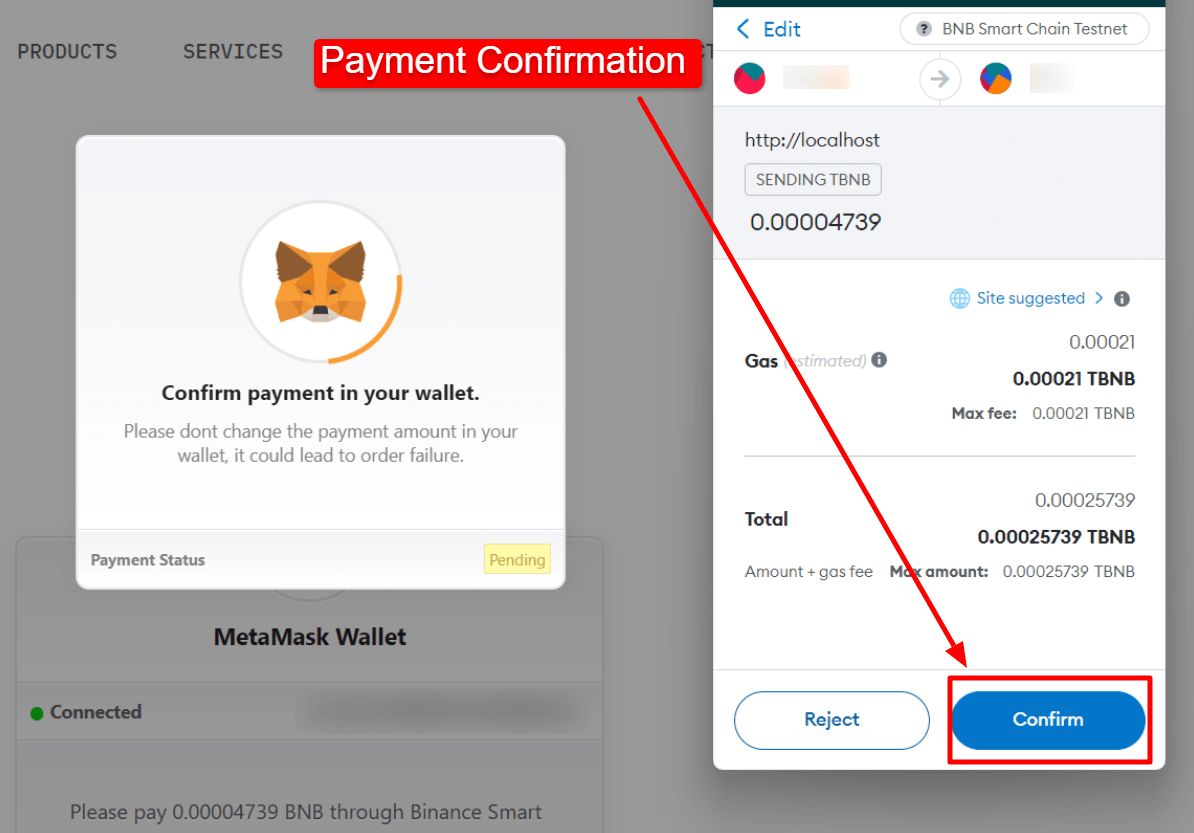
- Once confirmed, the refund will be processed on the blockchain and marked as completed
- You can track all refund transactions in the Transaction List section.