General option settings allow you to customize your payment address, currency conversion API, refund, and order settings.
Follow the steps below to access General Options:
- From your WordPress dashboard, navigate to WooCommerce > MetaMask Pro > Settings > General Options.
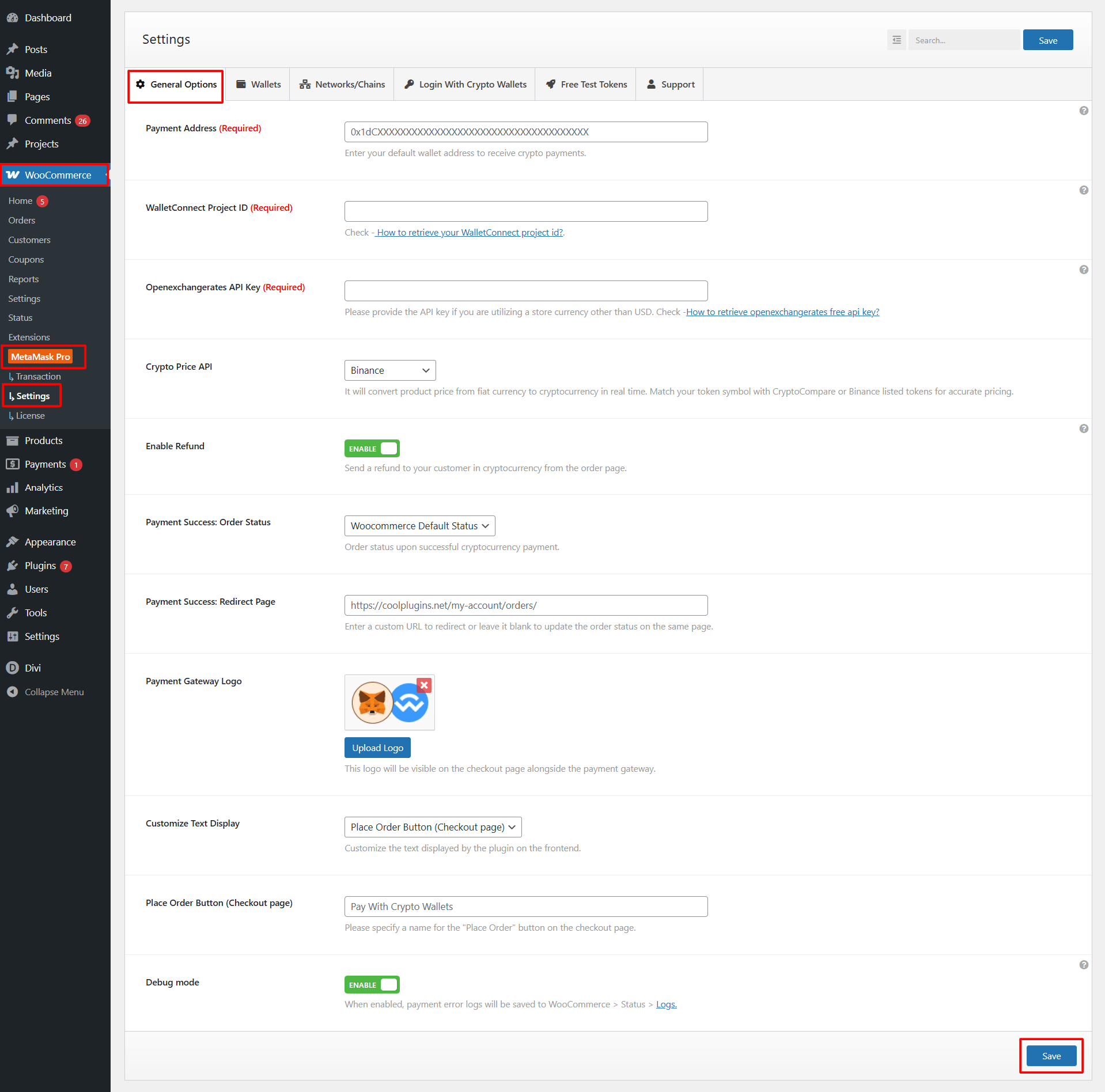
- Payment Address: Enter the wallet address where you want to receive cryptocurrency payments.
- WalletConnect Project ID: Enter your WalletConnect Project ID.
- OpenExchangeRates API Key: If your WooCommerce store uses a currency other than USD, you must enter your OpenExchangeRates API Key to enable accurate price conversions.
- Crypto Price API: Select the API source you want the plugin to use for converting product prices into cryptocurrency.
- Enable Refund: Toggle this option to enable crypto refunds directly from the WooCommerce order page.
- Payment Success: Order Status: Select which WooCommerce order status should be applied automatically after a successful crypto payment.
- Payment Success: Redirect Page: Enter a custom URL to redirect customers to after a successful crypto payment.
- Payment Gateway Logo: Upload a custom logo to display with the gateway on the checkout page.
- Customize Text Display: Choose which frontend text you want to customize.
- Place Order Button (Checkout Page): Enter the button label that should be displayed on the checkout page.
- Debug Mode: Enable this option to log detailed payment gateway errors or API responses for debugging.
After configuring all options, click the Save button to apply changes.