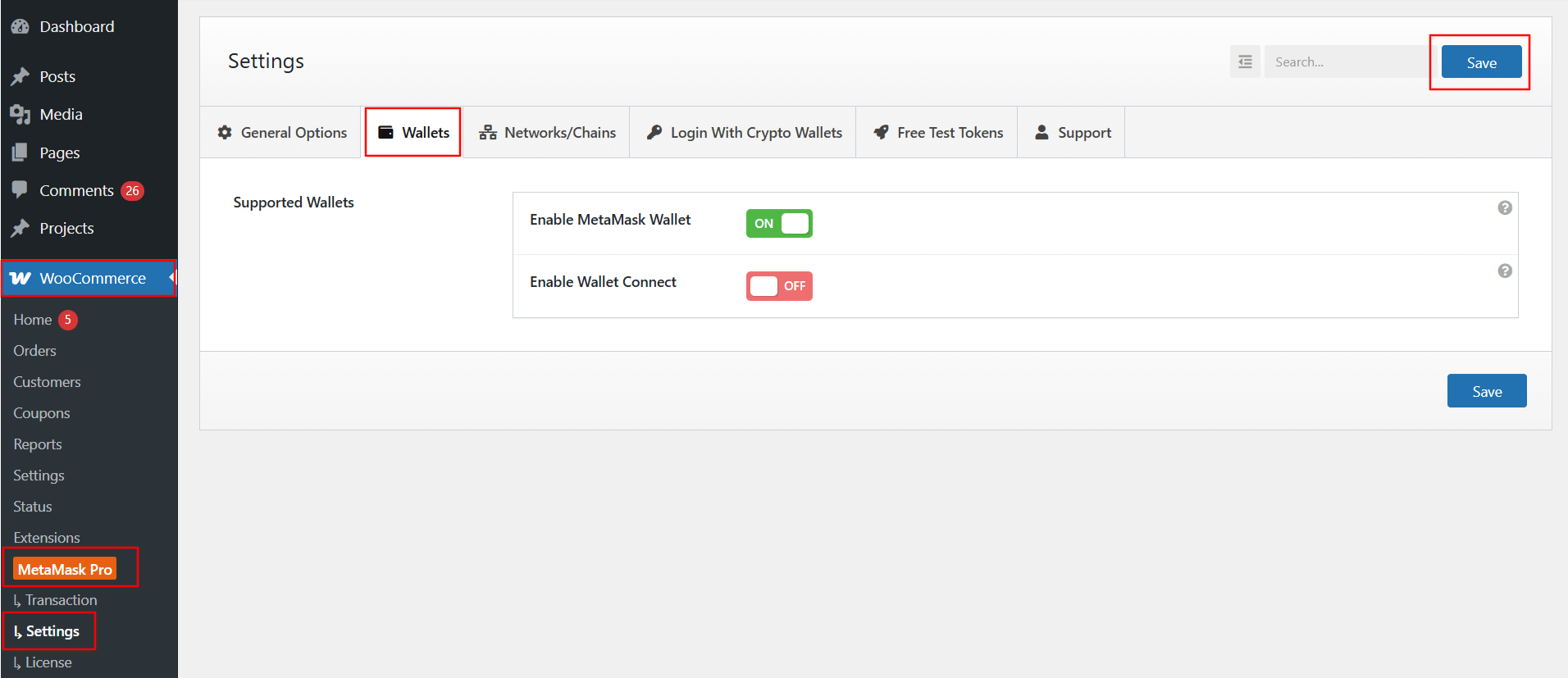
The Enable Wallets section allows you to choose which crypto wallets your customers can use while paying through the MetaMask Payment Gateway for WooCommerce.
Follow the steps below to access Enable Wallets section:
- From your WordPress dashboard, navigate to WooCommerce > MetaMask Pro > Settings > Wallets.
- Supported Wallets:
- Enable MetaMask Wallet: Toggle this option ON to allow customers to connect and pay using the MetaMask browser wallet.
- Enable Wallet Connect: Toggle this option ON to enable WalletConnect support, allowing customers to connect a wide range of mobile and desktop wallets.
Note: WalletConnect requires a valid WalletConnect Project ID, which must be added under General Options.
After enabling your preferred wallets, click Save to apply the changes.