How to Add a Accordion Block Widget Widget Using Cryptocurrency Widgets Pro?

Using Cryptocurrency Widgets Pro, you can easily create a Accordion Block widget and then add it anywhere on your page/post via shortcode.

What is an Accordion Block?

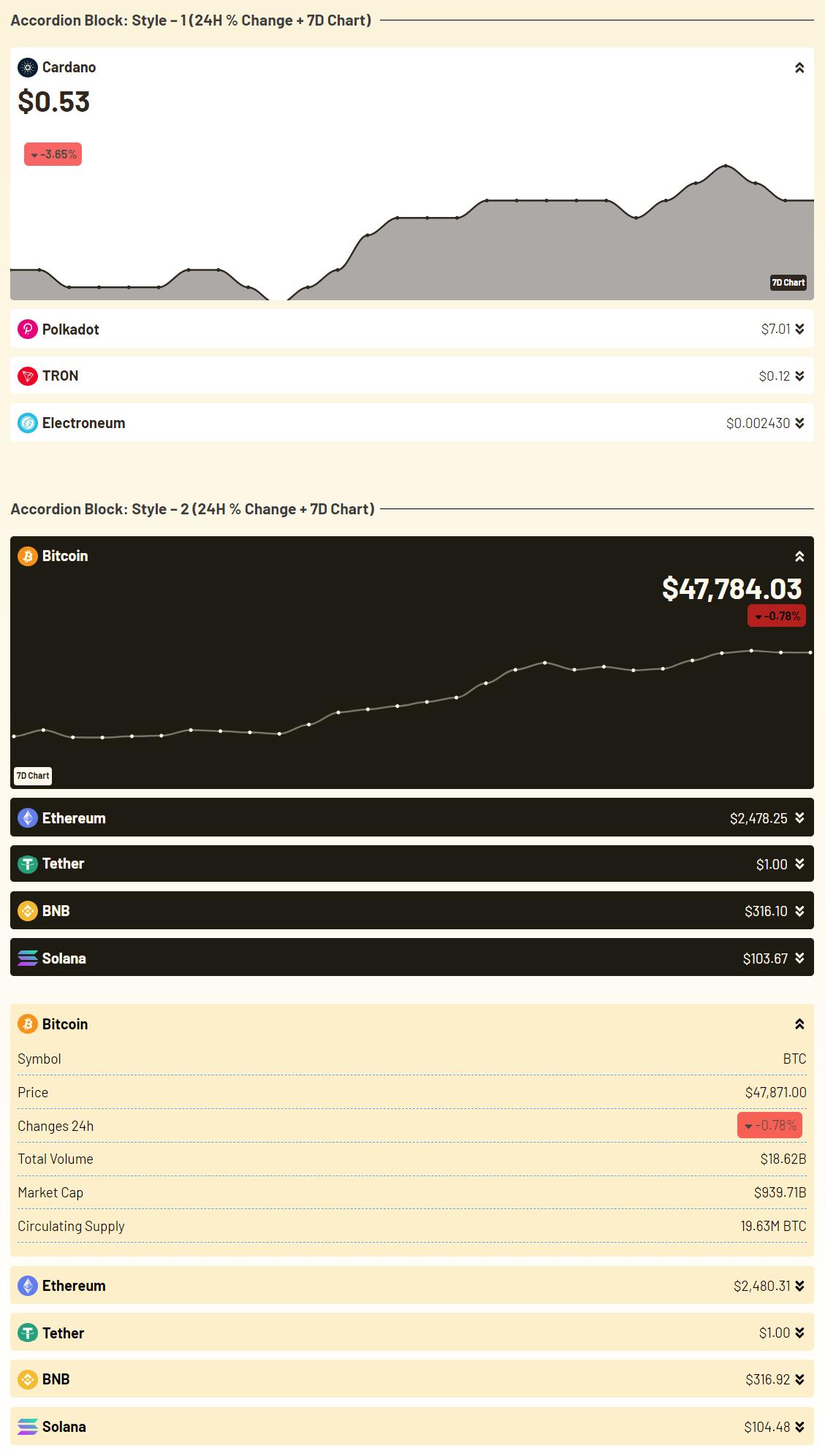
The Accordion Block Widget helps you show cryptocurrency information in a simple way. It works like a list of sections that open and close when a user clicks on them. Each accordion item shows the coin name, price, market info, & more. This is useful when you want to display detailed information about coins but don’t want your page to look messy.

Follow the steps below to create the Accordian Block widget:

Add an Accordion Block Widget

  • From your WordPress dashboard, navigate to Crypto Plugins > Crypto Widget Pro.
  • Click Add New Widget.
accordion block widget
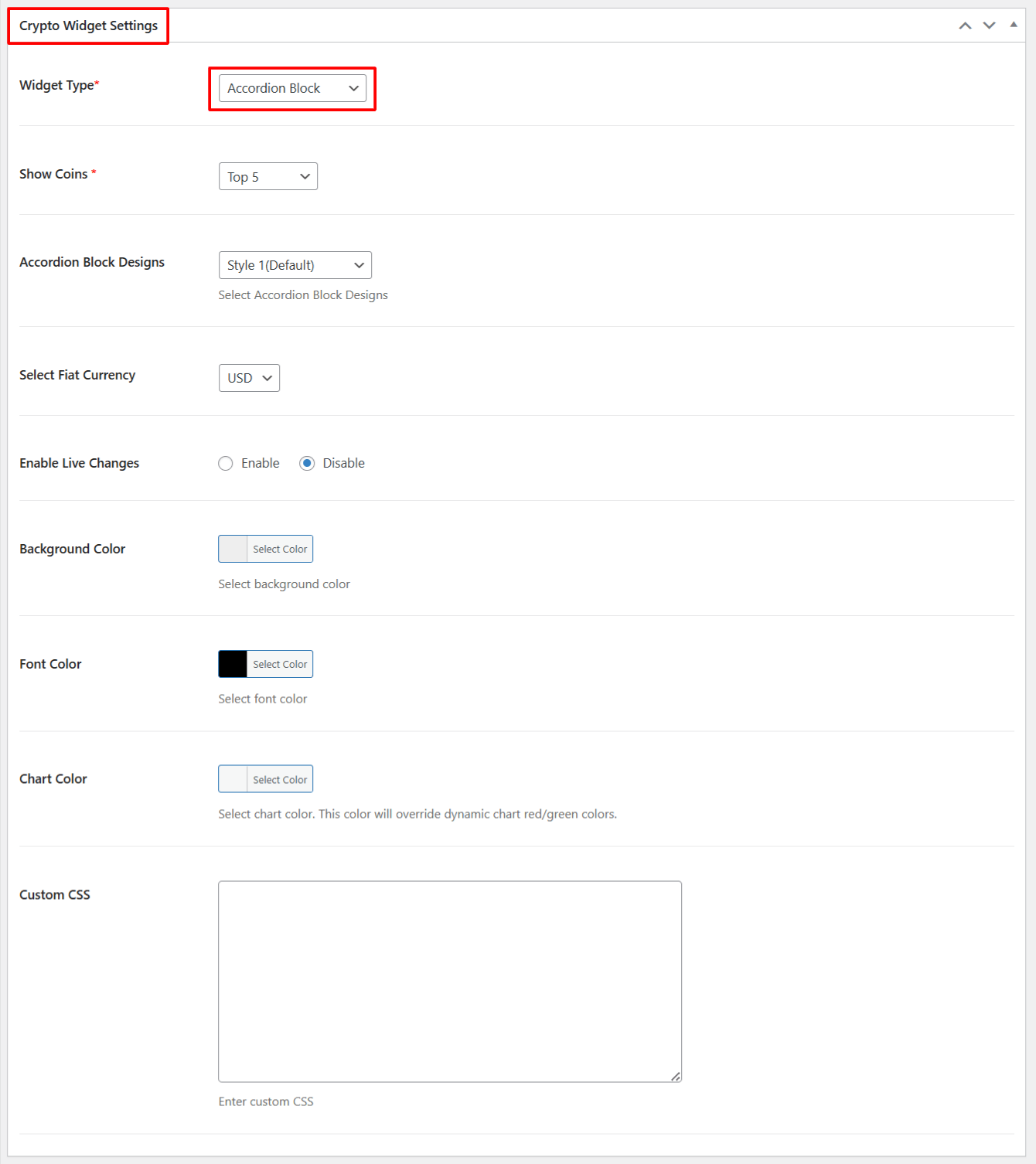
  • From Crypto Widget Settings:
    • Widget Type: Choose Accordion Block from the available widget type options.
    • Show Coins: Select the number of top coins that you want to display.
    • Accordion Block Designs: Select the design style for your accordion.
    • Select Fiat Currency: Choose which fiat currency you want to show for price conversion.
    • Enable Live Changes: Enable this option if you want to show Live price changes.
    • Background Color: Customize the background color of accordion.
    • Font Color: Select the color of the text shown inside the accordion.
    • Chart Color: Choose the color for chart lines shown in the accordion.
    • Custom CSS: If you want extra styling, you can add your own CSS here.
  • After being satisfied, publish the page.  A shortcode will be generated. Copy this shortcode and paste it anywhere on your site.
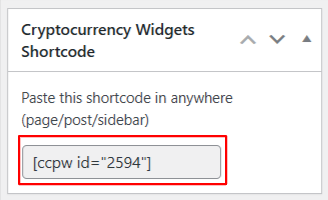
widget shortcode

Output

accordion block widget output
Last Updated
Cryptocurrency Widgets Pro

Display live crypto prices, tickers, charts, and market data for 2,500+ coins with easy Elementor integration.

Need Help? Contact Our Support Team
In This Article
Share it
Cryptocurrency Widgets Pro

Display live crypto prices, tickers, charts, and market data for 2,500+ coins with easy Elementor integration.

Special offer- only this week

Upto

80%

OFF

OFFER ENDS IN:

D
H
M
S
WordPress Birthday Sale
Celebrate with Big Savings

Offer
ends in:

Days
Hours
Min
Sec

SUPER SALE

up to
80
%

off

UPTO

80% OFF

WordCamp Asia Celebration Sale
Made for WordPress Lovers

SUPER SALE

up to
80
%

off

Offer
ends in:

Days
Hours
Min
Sec

UPTO

80% OFF

save up to 80% off

SUPER SALE

up to
80
%

off

259200

Offer
ends in:

Days
Hours
Min
Sec

Limited Time Special Offer

UP TO 80% OFF

259200

OFFER ENDS IN:

D
H
M
S

Limited Time Special Offer

UP TO 80% OFF

259200

OFFER ENDS IN:

D
H
M
S
Year End Sale
save up to 80% off

Offer
ends in:

Days
Hours
Min
Sec
save up to 80% off

SUPER SALE

up to
80
%

off

Offer
ends in:

Days
Hours
Min
Sec

SPECIAL SALE

SUPER SALE

up to
80
%

off

Offer
ends in:

Days
Hours
Min
Sec
upto
80% off
save up to 80% off

SUPER SALE

up to
80
%

off

Offer
ends in:

Days
Hours
Min
Sec
Independence
Day Sale

SUPER SALE

up to
80
%

off

Offer
ends in:

Days
Hours
Min
Sec

UPTO

80% OFF

Offer
ends in:

Days
Hours
Min
Sec

SUPER SALE

up to
80
%

off

UPTO

80% OFF

Mid-Year Special Sale
save up to 80% off

Offer
ends in:

Days
Hours
Min
Sec
Summer sale
save up to 80% off

Offer
ends in:

Days
Hours
Min
Sec
save up to 80% off

SUPER SALE

up to
80
%

off

Offer
ends in:

Days
Hours
Min
Sec
save up to 80% off

Offer
ends in:

Days
Hours
Min
Sec
save up to 80% off

SUPER SALE

up to
80
%

off

Offer
ends in:

Days
Hours
Min
Sec
New Year Sale
save up to 80% off

Offer
ends in:

Days
Hours
Min
Sec
Christmas
Special Sale

Upto

80%

OFF

Ends in

Days
Hours
Min
Sec

UPTO

80% OFF