
If you are using a cryptocurrency app or tool, you may want to display real-time cryptocurrency information such as live prices and historical data. CryptoCompare provides this data through its API, which allows developers and website owners to integrate cryptocurrency data into their applications.
In this guide, you’ll learn how to retrieve your free CryptoCompare API key step by step. Once you obtain the API key, you can use it within your plugin or application to access CryptoCompare’s cryptocurrency data and stay updated with the latest market information.
Step-by-Step Guide to Retrieve a CryptoCompare Free API Key
Follow the steps below to easily generate your free API key.
Step 1: Visit the API Key Page
Go to the following link:
https://developers.coindesk.com/settings/api-keys
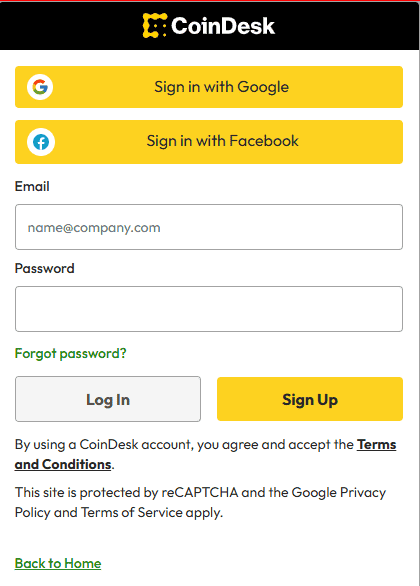
On the page, click on the Login option to begin the process.
Step 2: Sign In and Complete Verification
Enter the required details to sign in.
If you are a new user, complete the sign-up process and verify your email address as instructed.
Step 3: Access the API Keys Section
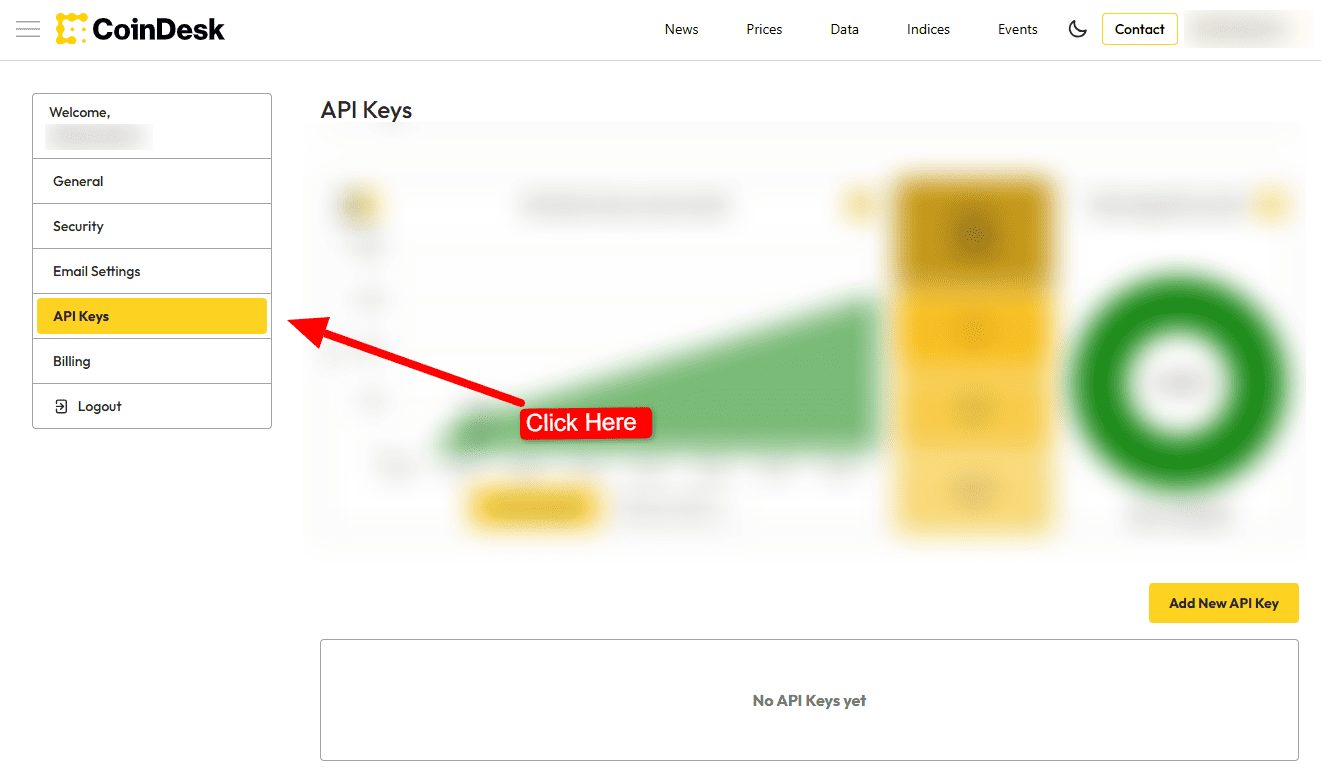
Once the sign-in and email verification process is complete, navigate to the API Keys section in your account dashboard.
Step 4: Copy Your API Key
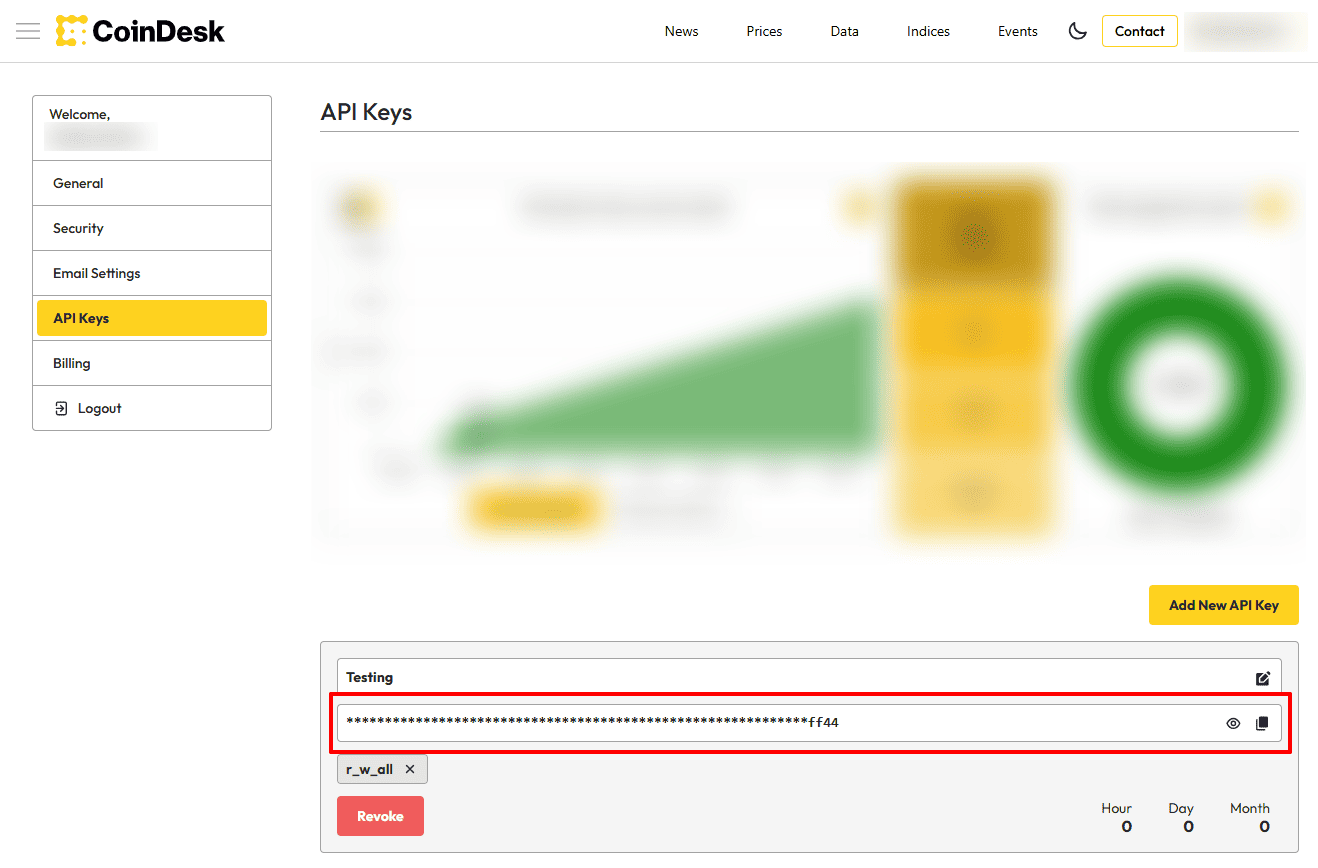
In the API Keys interface, you will see your generated API key.
Simply copy the API key from this section.
Step 5: Use the API Key in Your Plugin
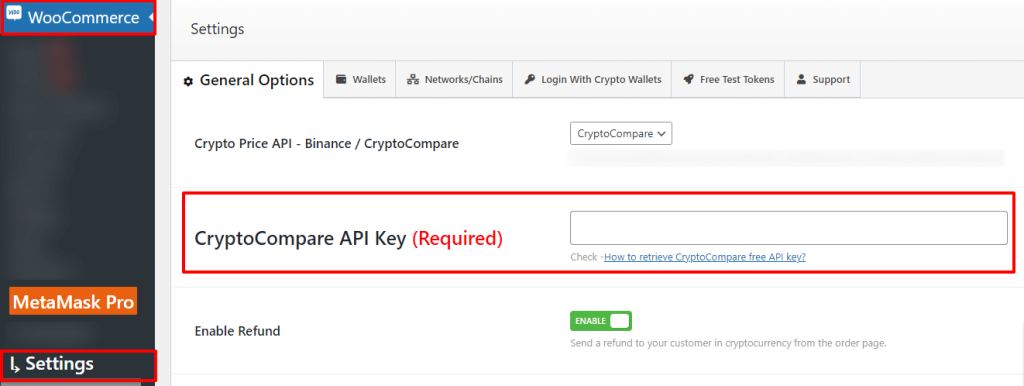
After copying the API key, paste it into the plugin or application where the CryptoCompare API key is required.
Conclusion
Obtaining a free API key from CryptoCompare is a simple and straightforward process. By following the steps outlined above, you can quickly retrieve your API key and integrate CryptoCompare’s real-time cryptocurrency data into your app or tool. This allows you to stay informed about current prices and cryptocurrency activity with ease.
FAQs
What is a CryptoCompare API key?
A CryptoCompare API key allows you to access real-time cryptocurrency information such as prices and historical data for use in apps or tools.
Is the CryptoCompare API key free?
Yes, CryptoCompare provides a free API key that you can use to access cryptocurrency data.
Where can I generate my CryptoCompare API key?
You can generate your API key by visiting the API keys section at
https://developers.coindesk.com/settings/api-keys after logging in.
Do I need to verify my email to get the API key?
Yes, completing the sign-in process and email verification is required before accessing the API keys section.
How do I use the CryptoCompare API key?
After copying the API key, paste it into the plugin or application where the CryptoCompare API key is required.