
Reown (formerly WalletConnect) acts as an essential bridge between cryptocurrency wallets and decentralized applications (DApps). It enables secure and seamless communication, allowing users to connect their wallets to blockchain-based applications with confidence.
To strengthen security, transparency, and control, Reown (WalletConnect) uses a unique identifier known as a Project ID. This Project ID is required to integrate WalletConnect into your cryptocurrency-related project successfully.
In this guide, you’ll learn how to generate your Reown (WalletConnect) Project ID step by step, so you can complete the integration process smoothly and without confusion.
What Is a Reown (WalletConnect) Project ID?
A Reown (WalletConnect) Project ID is a unique identifier assigned to your project. It ensures proper authentication and connection between wallets and decentralized applications. Without this Project ID, WalletConnect cannot function correctly within your plugin or application.
Step-by-Step Guide to Generate a Reown (WalletConnect) Project ID
Follow the steps below to generate your Project ID quickly and easily.
Step 1: Visit the Reown Dashboard
Open your browser and navigate to the official Reown dashboard:
https://dashboard.reown.com/
Step 2: Sign In or Sign Up
- If you already have an account, click Sign In and log in.
- If you’re new to the platform, click Sign Up and create an account.

Step 3: Create a New Project
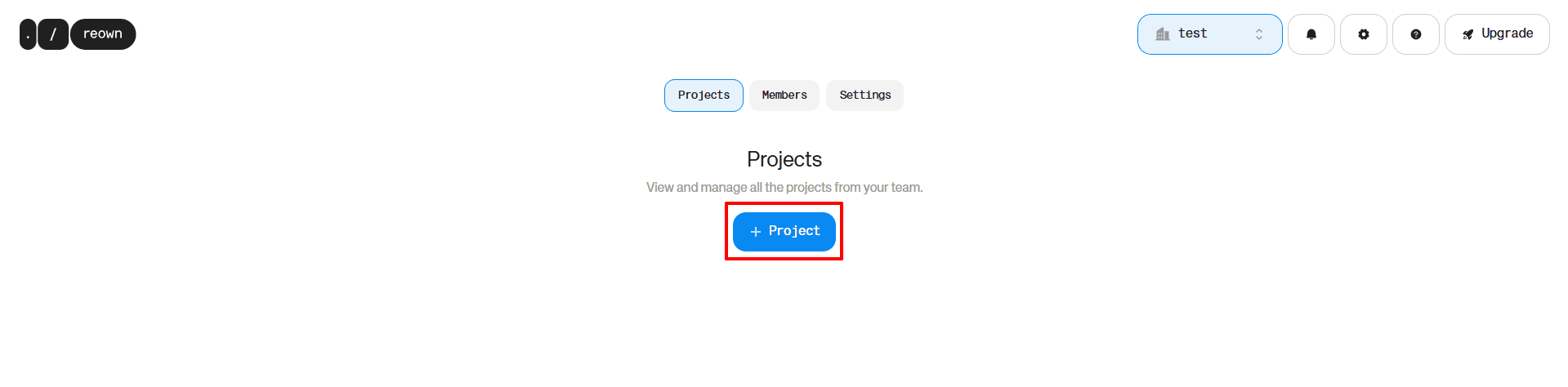
After signing in, locate the “+ Project” button displayed at the center of the screen.
Click on it to start creating a new project.
Step 4: Enter Project Details
- Enter your Project Name in the provided field.
- Click the “Create” button to generate your Project ID.

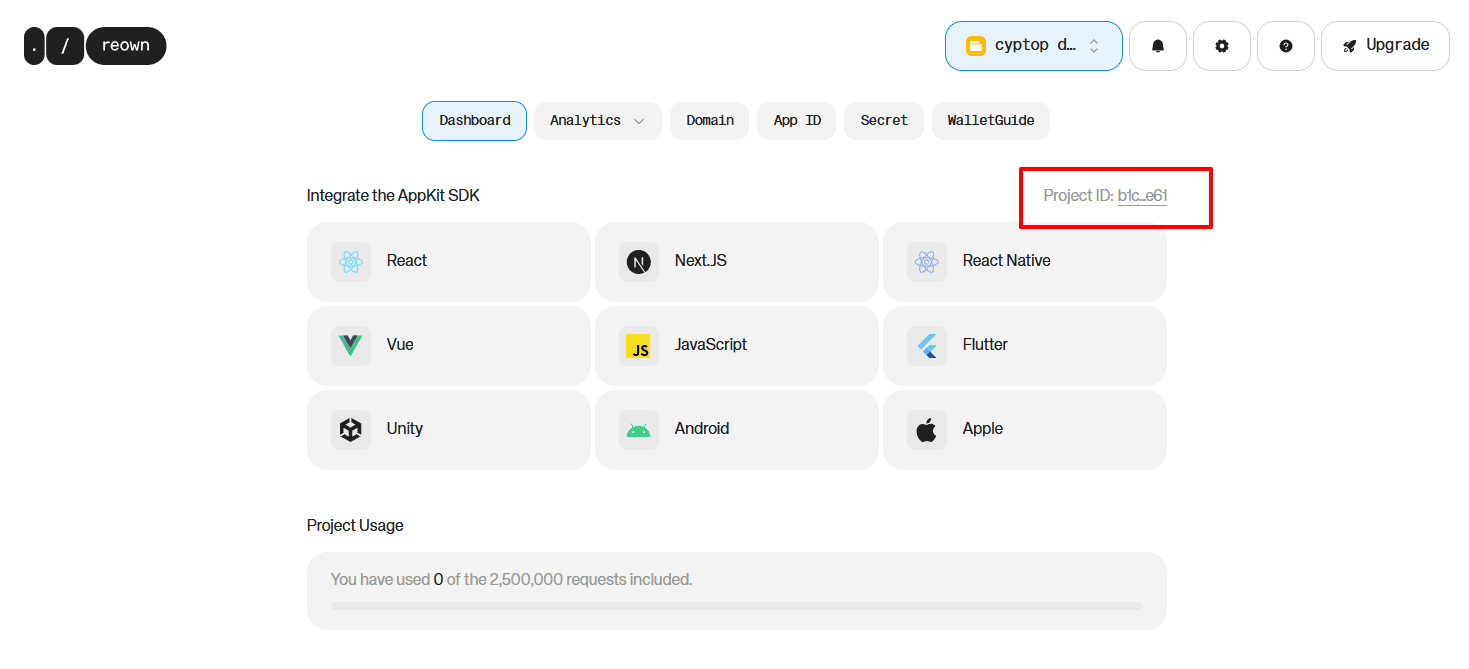
Step 5: Copy Your Project ID
Once the project is created, your Reown (WalletConnect) Project ID will be displayed.
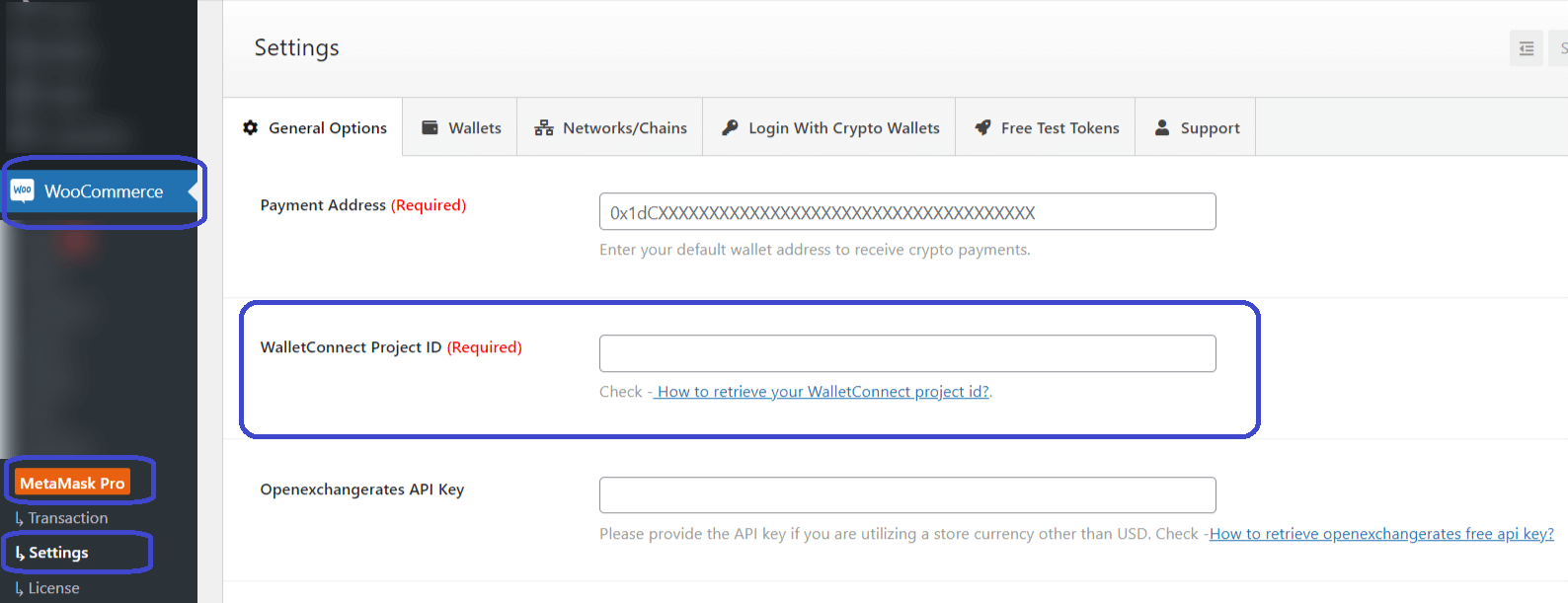
Copy this ID and paste it into the WalletConnect Project ID input field within your plugin or application settings.
Conclusion
Obtaining your Reown (WalletConnect) Project ID is a crucial step in integrating cryptocurrency wallets with decentralized applications. This unique identifier, generated directly through the Reown dashboard, helps ensure secure connections, better transparency, and streamlined wallet integration.
By following the step-by-step process outlined above, you can generate your Project ID with ease and proceed confidently toward completing your WalletConnect integration.
FAQs
What is a Reown (WalletConnect) Project ID?
A Reown (WalletConnect) Project ID is a unique identifier required to connect cryptocurrency wallets with decentralized applications using WalletConnect.
Why do I need a WalletConnect Project ID?
The Project ID is essential for enabling secure and seamless wallet connections within your cryptocurrency-related project.
Where can I generate a Reown (WalletConnect) Project ID?
You can generate your Project ID by logging into the Reown dashboard at dashboard.reown.com and creating a new project.
How do I create a new project in Reown?
After signing in, click on the “+ Project” button, enter your project name, and click Create to generate your Project ID.
Where do I use the Reown (WalletConnect) Project ID?
Once generated, the Project ID should be pasted into the designated WalletConnect Project ID field in your plugin or application settings.