
Open Exchange Rates offers a powerful API that provides access to accurate and up-to-date currency exchange rate data. This makes it an invaluable tool for developers, website owners, and businesses who need reliable currency conversion for their applications. In this guide, we’ll walk you through the step-by-step process of obtaining your free API key from Open Exchange Rates, so you can integrate real-time exchange rate information into your projects seamlessly.
Step-by-Step Guide to Retrieve a Free Open Exchange Rates API Key
Follow these simple steps to get your free API key quickly and easily:
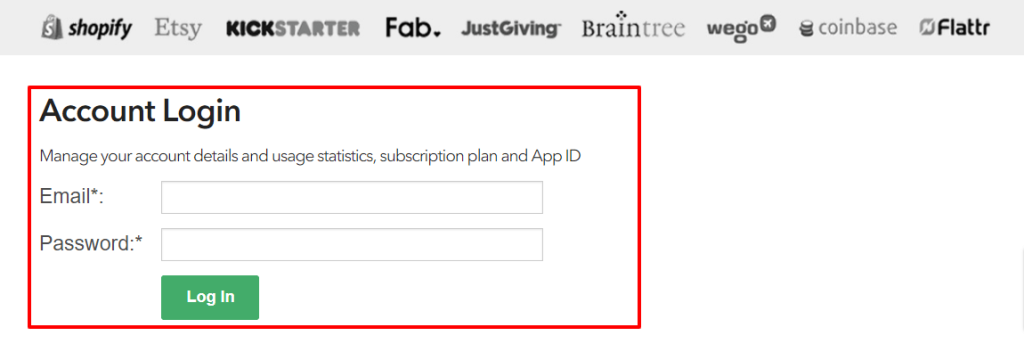
Step 1: Log in to Your Open Exchange Rates Account
Go to the official login page:
https://openexchangerates.org/login/
Enter your email address and password to access your account.
Step 2: Sign Up for a Free Account (If You Are a New User)
If you don’t have an account yet, sign up for the free plan here:
https://openexchangerates.org/signup/free
Complete the signup process, and you’ll gain access to the free plan, which is ideal for basic usage and testing.
Step 3: Access the API Key
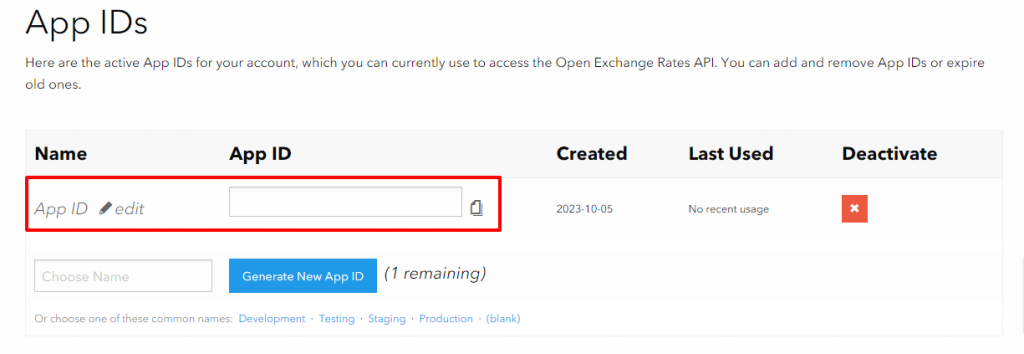
Once logged in, navigate to the API Key section in your dashboard. Your unique API ID will be displayed here.
Step 4: Copy and Use Your API Key
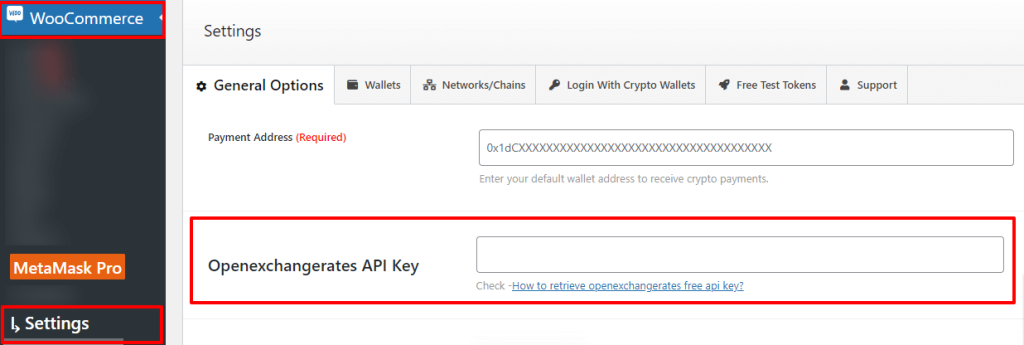
Copy your API ID and paste it into your plugin or application wherever it asks for the API key. This will enable your system to retrieve live exchange rate data from Open Exchange Rates.
Conclusion
Acquiring a free API key from Open Exchange Rates is a straightforward and quick process. By following these simple steps, you can easily access real-time currency exchange data, allowing your applications, websites, or plugins to display accurate information and make informed financial decisions.
With your API key ready, integrating Open Exchange Rates into your projects is seamless, ensuring your applications stay current with global currency rates.
FAQs
What is an Open Exchange Rates API key?
An Open Exchange Rates API key, also called an API ID, is a unique code that allows your application or plugin to access real-time currency exchange rate data.
How can I get a free API key from Open Exchange Rates?
You can get a free API key by signing up for the free plan at https://openexchangerates.org/signup/free and then accessing the API key from your dashboard.
Where do I find my API key after logging in?
After logging in, navigate to the API Key section in your Open Exchange Rates dashboard. Your API ID will be displayed there.
How do I use the API key in my plugin or application?
Copy your API ID and paste it into the plugin or application wherever it asks for the Open Exchange Rates API key.
Do I need an account to get an API key?
Yes, you must create an Open Exchange Rates account. Existing users can log in, and new users can sign up for the free plan.