
Using the Cryptocurrency Exchanges List plugin, you can display a dedicated single page for every crypto exchange listed on your website. The plugin automatically generates Default Single Exchange Pages, or you can also create custom ones via shortcodes.
Default Single Exchange Page
The plugin provides auto-generated single exchange pages right after installation. You will find two default pages under your WordPress Pages section:
- celp exchange details(Advanced Design)
- cmc exchange details
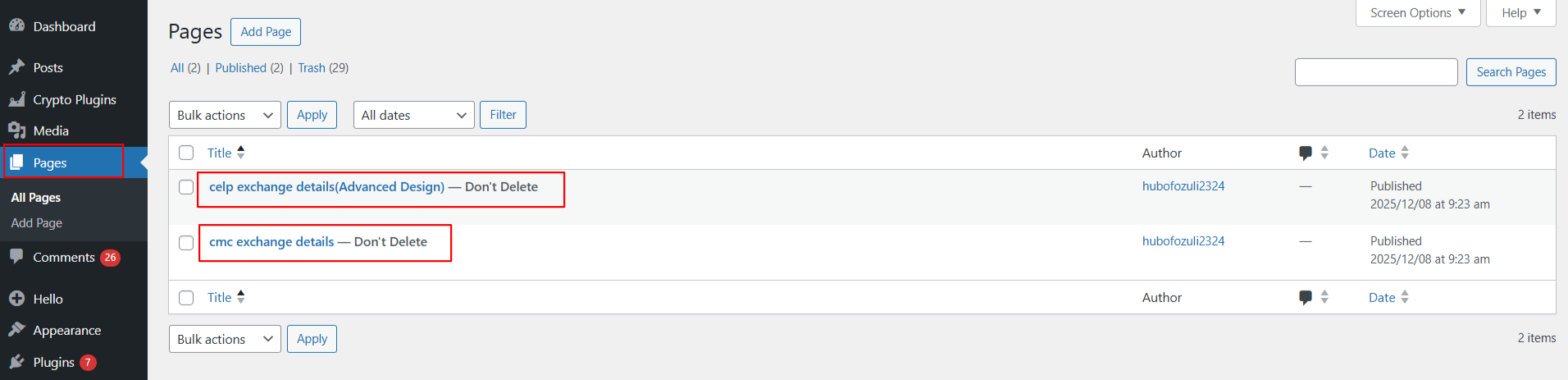
These pages are created by the plugin and cannot be deleted, as they are required for displaying single exchange data.
Custom Single Exchange Page
If you want a fully personalized design, you can also create your own Custom Single Exchange Page.
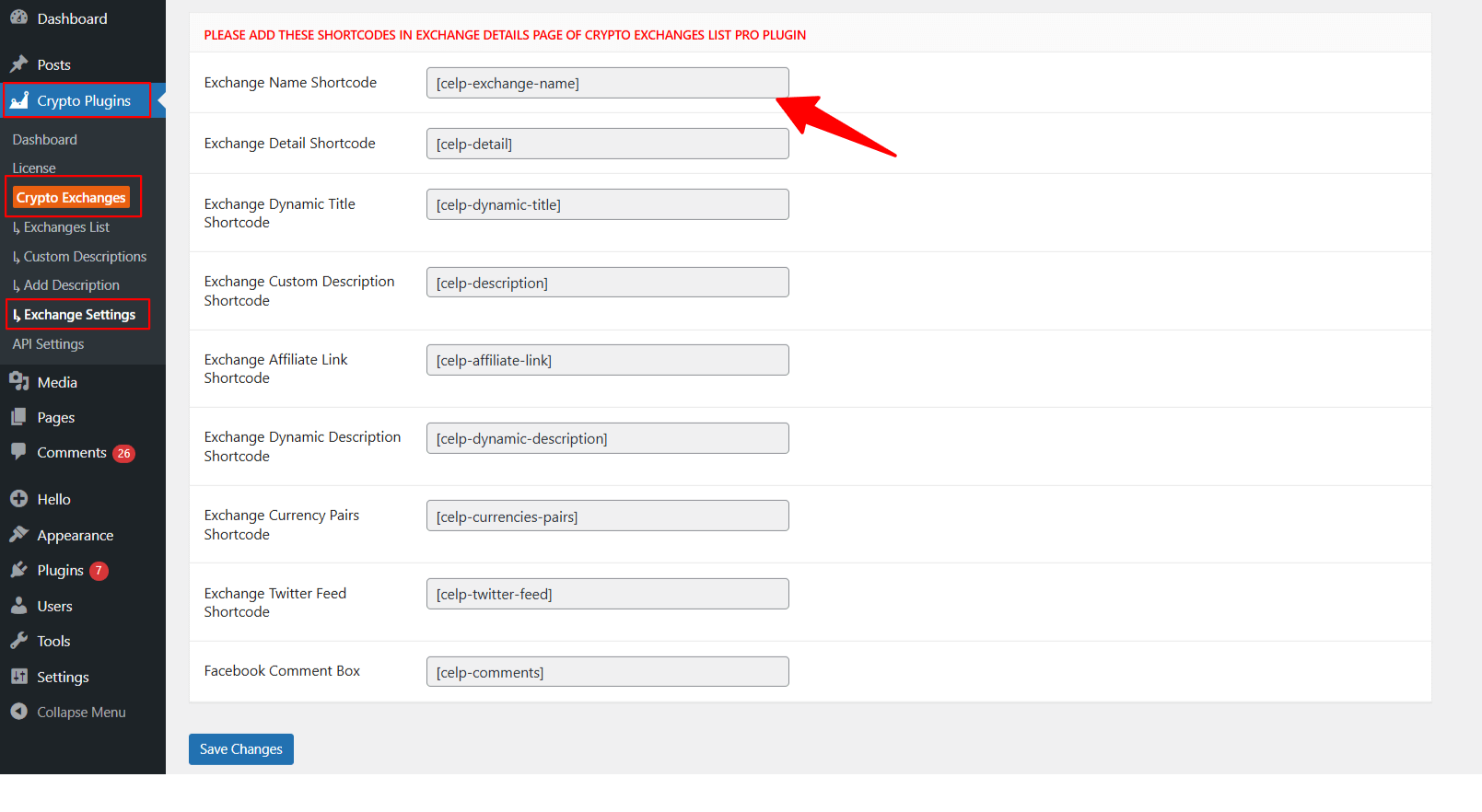
- From your WordPress dashboard, navigate to Crypto Plugins > Crypto Exchanges > Exchange Settings.
- Scroll down to the shortcodes section.
- Copy the required shortcodes.
- Next, open a new WordPress page.
- Paste the dedicated shortcodes to create single exchange pages.
- After satisfied, publish the page.
That’s it now you can use your custom layout instead of the default auto-generated pages.