
Using the Cryptocurrency Exchanges List plugin, you can easily optimize your single exchange pages by adding dynamic SEO titles, descriptions, slugs, sitemap generation, and custom content to improve ranking and user engagement.
Dynamic SEO Title/Description/Slug for Coin Pages
Follow the steps below to add dynamic seo title/description/slug for coin pages:
- From your WordPress dashboard, navigate to Crypto Plugins > Crypto Exchanges > Exchange Settings.
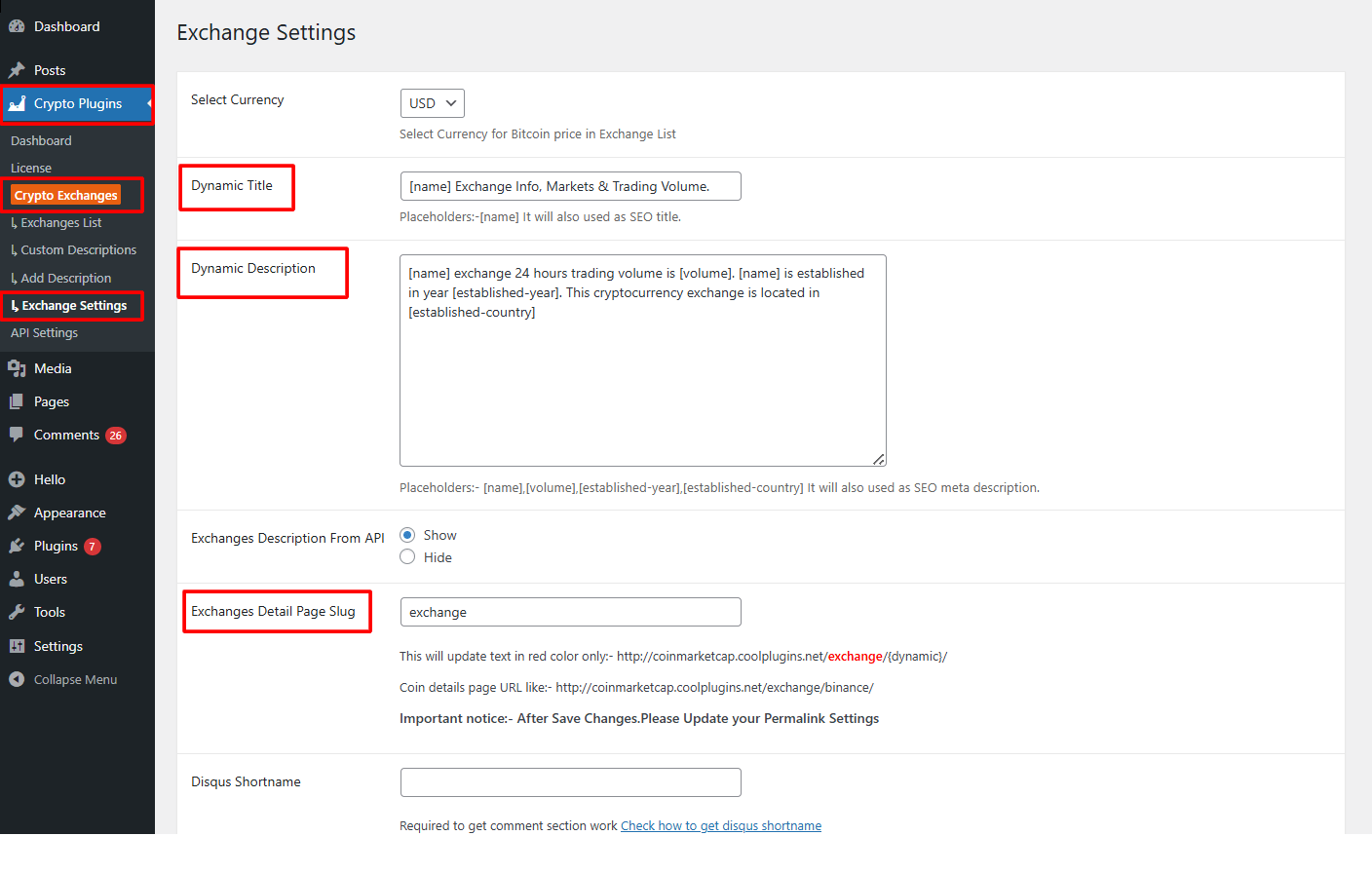
- Dynamic Title: Set a dynamic SEO title using placeholders like
[name]. The plugin automatically applies this title to every individual exchange’s single page. - Dynamic Description: Create an automatic SEO-friendly description using placeholders like
[name],[volume], or[established-country]. This description is applied automatically to each exchange’s single page. - Exchange Detail page Slug: Enter the Exchange Detail Page Slug.
- After being satisfied, save your changes.
Generate Sitemap
The “Generate Sitemap” feature in the Cryptocurrency Exchanges List helps search engines discover and index all the single exchange pages created by the plugin, making sure every exchange page can be crawled and ranked by Google or other search engines.
Follow the steps below to generate a sitemap:
- From your WordPress Dashboard, navigate to Crypto Plugins > Crypto Exchanges > Exchange Settings.
- Click Generate Sitemap option.
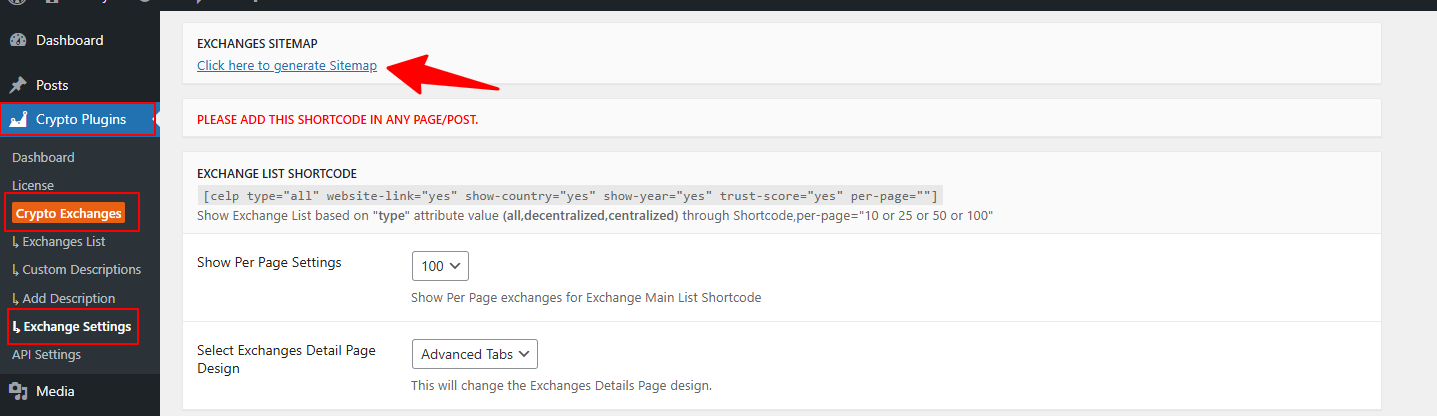
- Wait for the plugin to generate the sitemap.
- Once the sitemap is generated, you can download it or copy the sitemap URL.
- Submit the sitemap to search engines such as Google or Bing to help them index your website’s pages.
Add Custom Content on Coin Single Pages
The Custom Description feature allows you to manually add detailed information for any cryptocurrency exchanges.
Follow the steps below to add custom description:
- From your WordPress dashboard, navigate to Crypto Plugins > Crypto Exchanges > Add Description.
- Click Add New to create a new description.
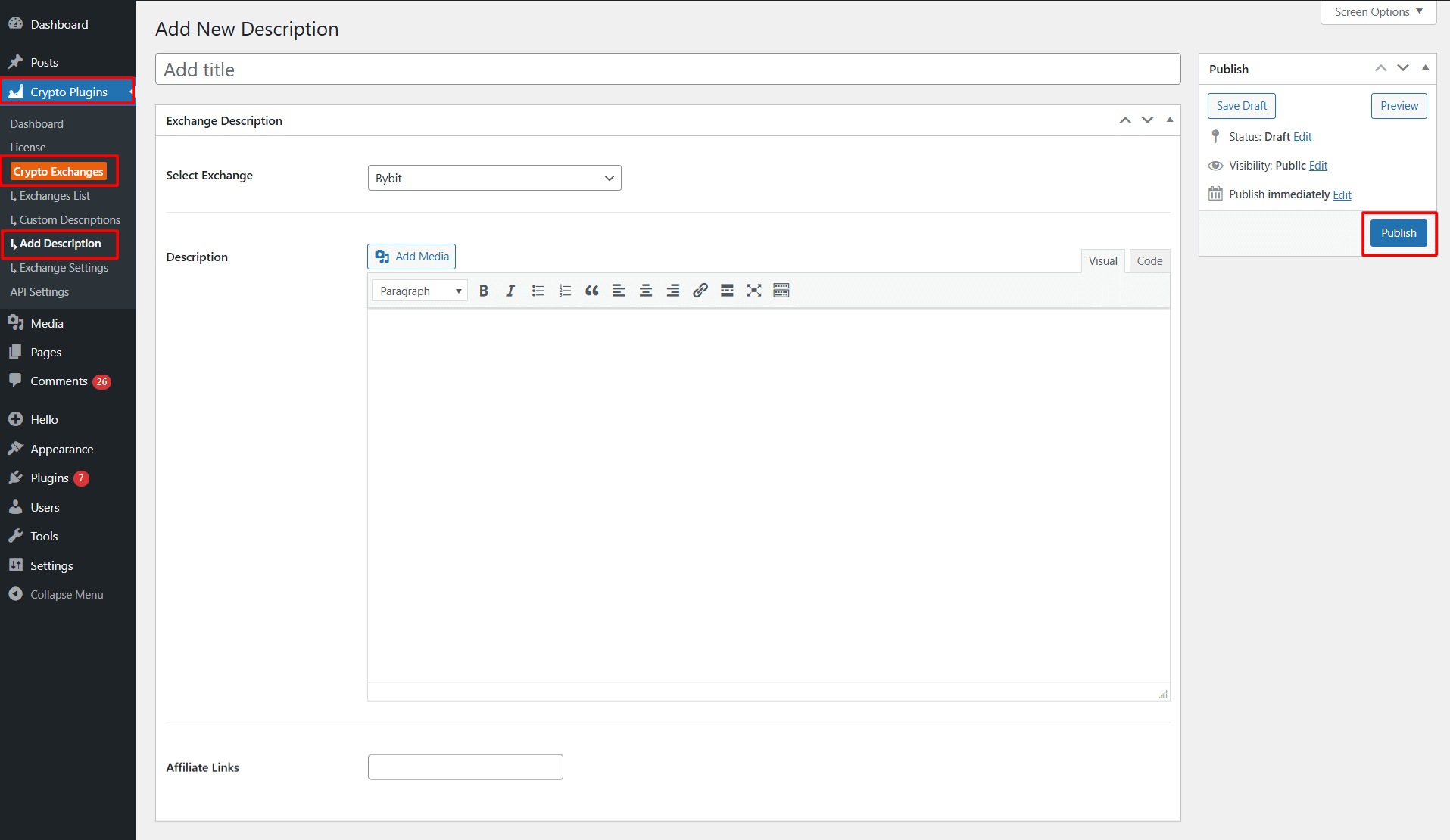
- Select Exchange: Choose the exchange you want to add a custom description for.
- Description: Enter the description for chosen cryptocurrency exchange.
- Affiliate Links: Promote affiliate programs and earn commissions by entering affiliate links.
After satisfied, click Publish to save your description