The Coins MarketCap plugin allows you to display detailed information for individual cryptocurrencies using automatically generated Default Single Coin Pages or custom ones. These pages provide dedicated information where users can view real-time price, market data, charts, and any custom details you choose to add.
Default Single Coin Page
The plugin provides auto-generated single coin pages right after installation. You will find two default pages under your WordPress Pages section:
- CMC Currency Details
- CMC Currency Details (Advanced Design)
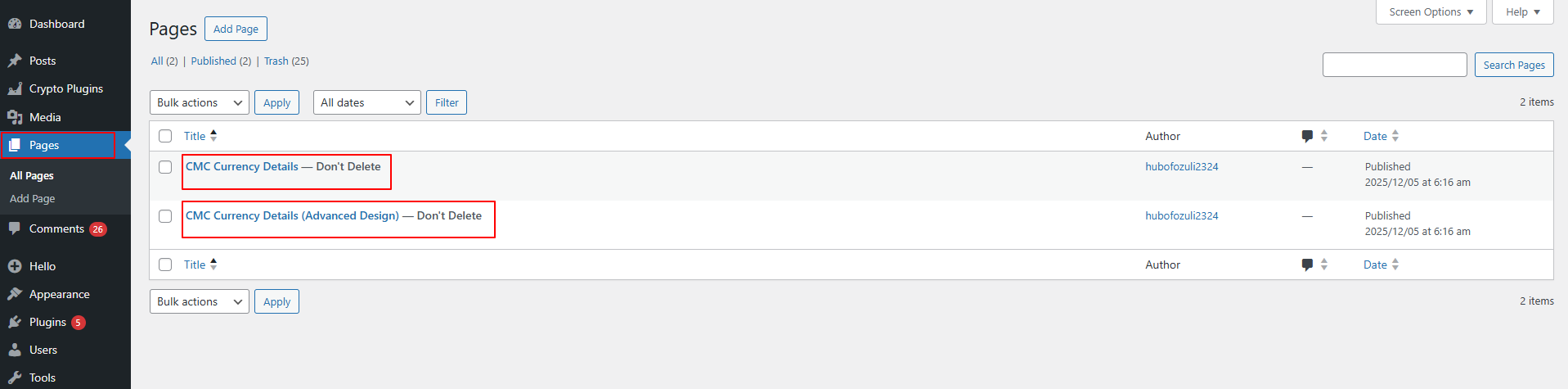
These pages are created by the plugin and cannot be deleted, as they are required for displaying single coin data.
Custom Single Coin Page
If you want a fully personalized design, you can also create your own Custom Single Coin Page.
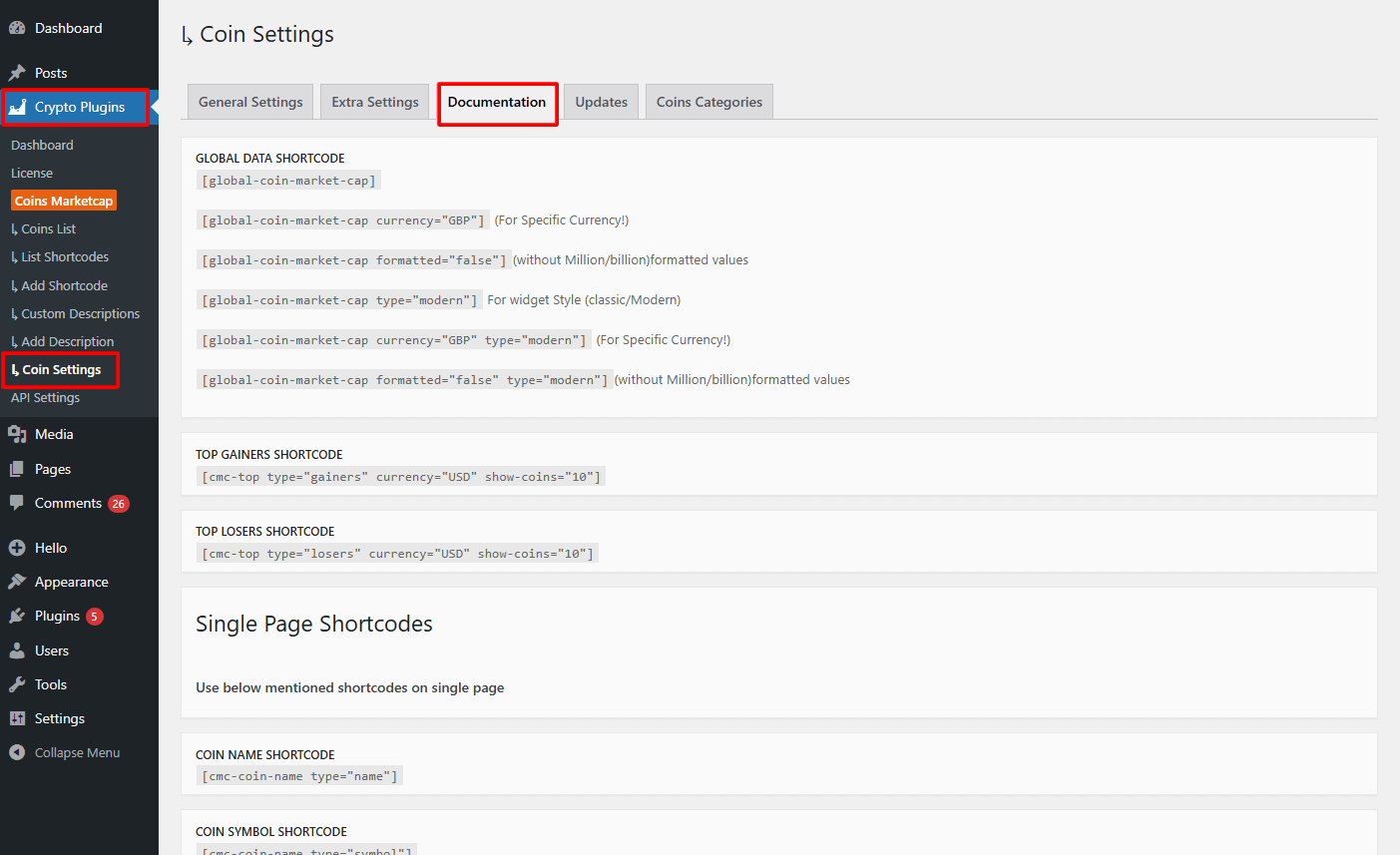
- From your WordPress dashboard, navigate to Crypto Plugins > Coins MarketCap > Coins Settings.
- From the documentation tab, copy the required shortcodes.
- Next, open a new WordPress page.
- Paste the dedicated shortcodes to create single coin pages.
- After satisfied publish the page.
That’s it now you can use your custom layout instead of the default auto-generated pages.