The Coins MarketCap plugin allows you to easily choose which cryptocurrencies to show or hide in your coin tables.
Follow the steps below to enable/disable coins:
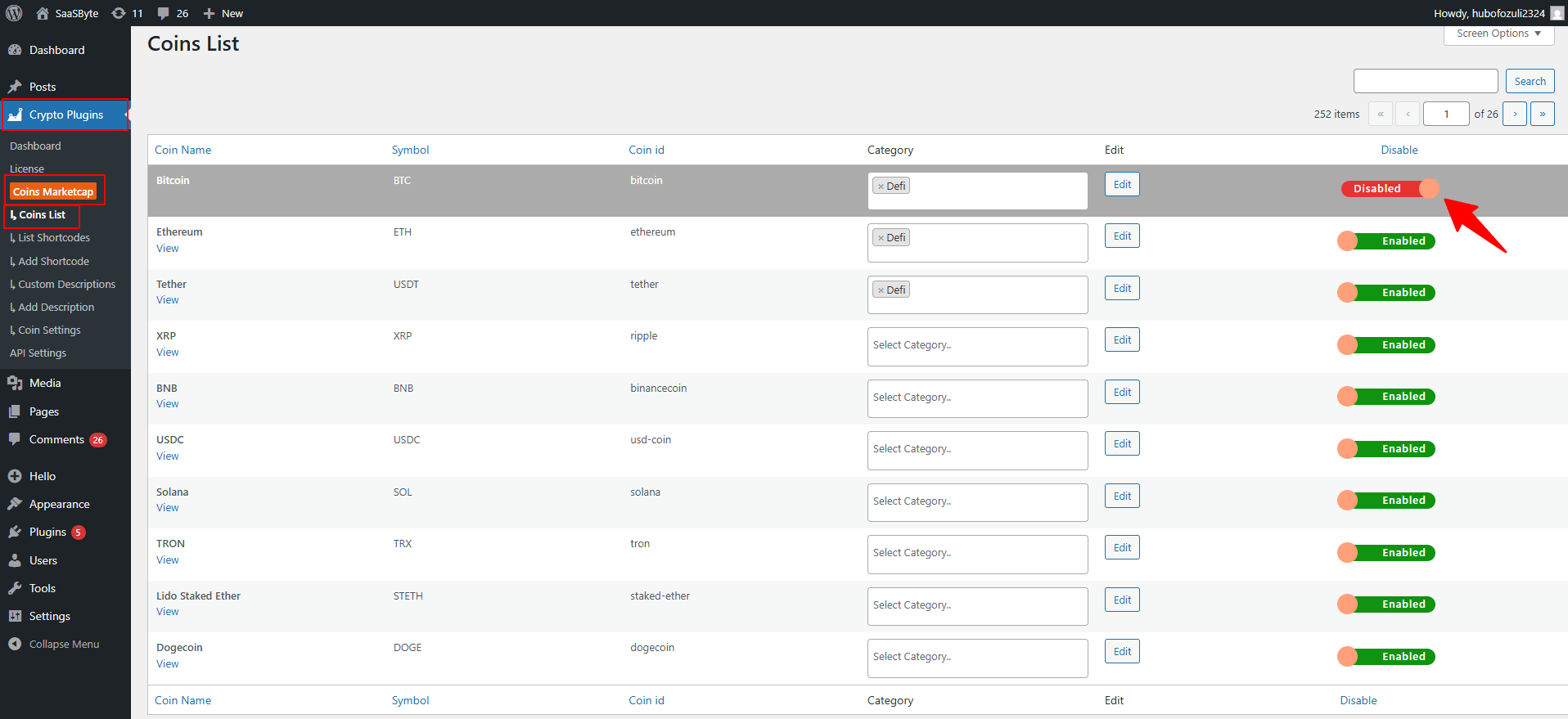
- From your WordPress dashboard, navigate to Crypto Plugins > Coins MarketCap > Coins List.
- You will see a complete list of all available cryptocurrencies.
- To disable a coin, simply turn off the switch beside that coin, and to enable a coin, turn the switch back on.
- After making your changes, the plugin will automatically update the display. No shortcode changes are required, your tables will immediately reflect the updated list.