Using the Coins MarketCap plugin, you can display different types of cryptocurrency data anywhere on your WordPress website using simple shortcodes.
Below is the detailed list of available shortcodes provided by Coins MarketCap plugin and how to use them.
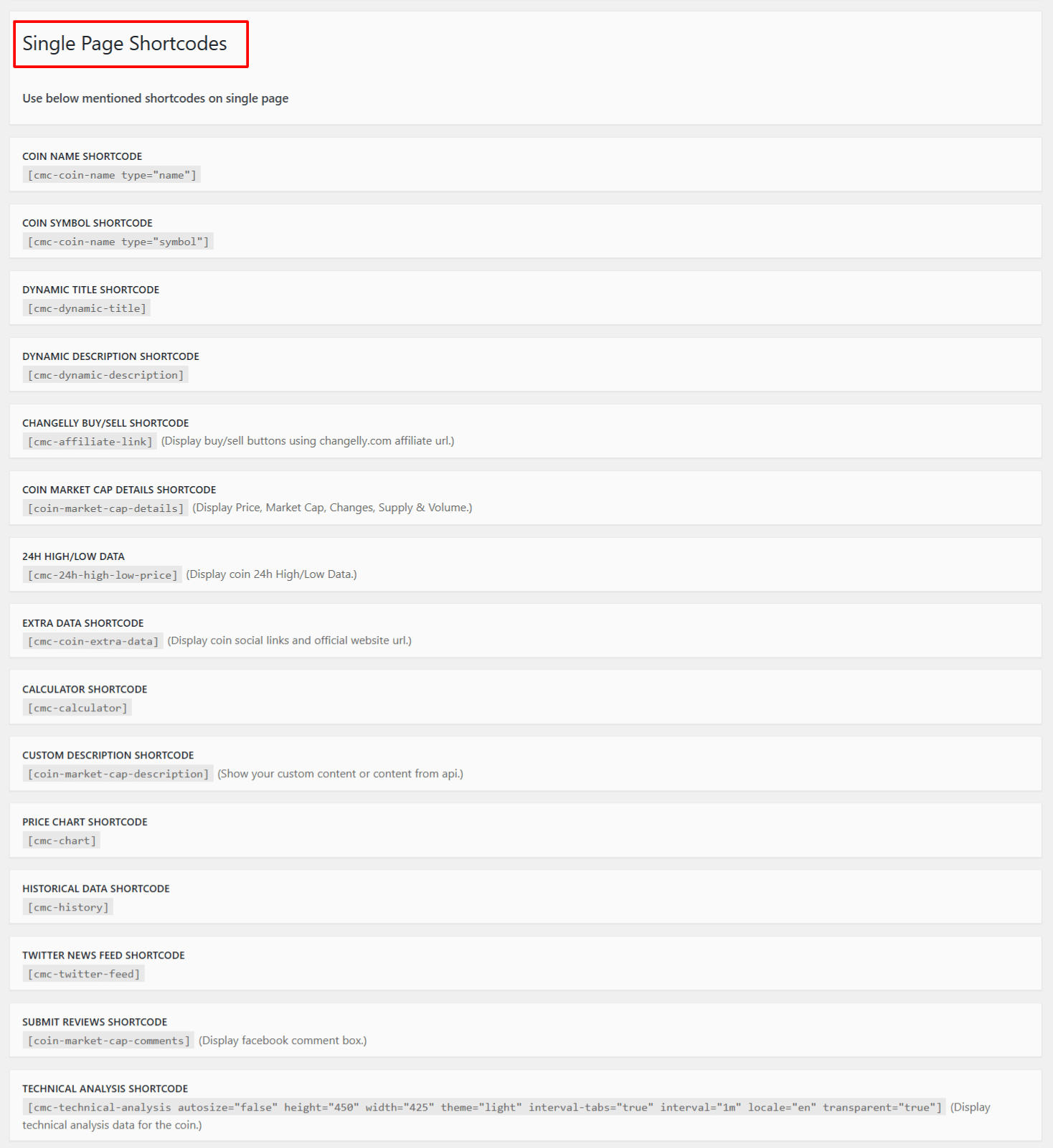
Top Gainers / Losers
You can easily showcase the best-performing and worst-performing cryptocurrencies on your website using the built-in Top Gainers and Top Losers shortcodes.
- You can access its shortcode by navigating to: Crypto Plugins > Coins MarketCap > Coins Settings > Documentation.
- Copy the shortcode and paste it into any page/post, and the plugin will automatically load real-time data.
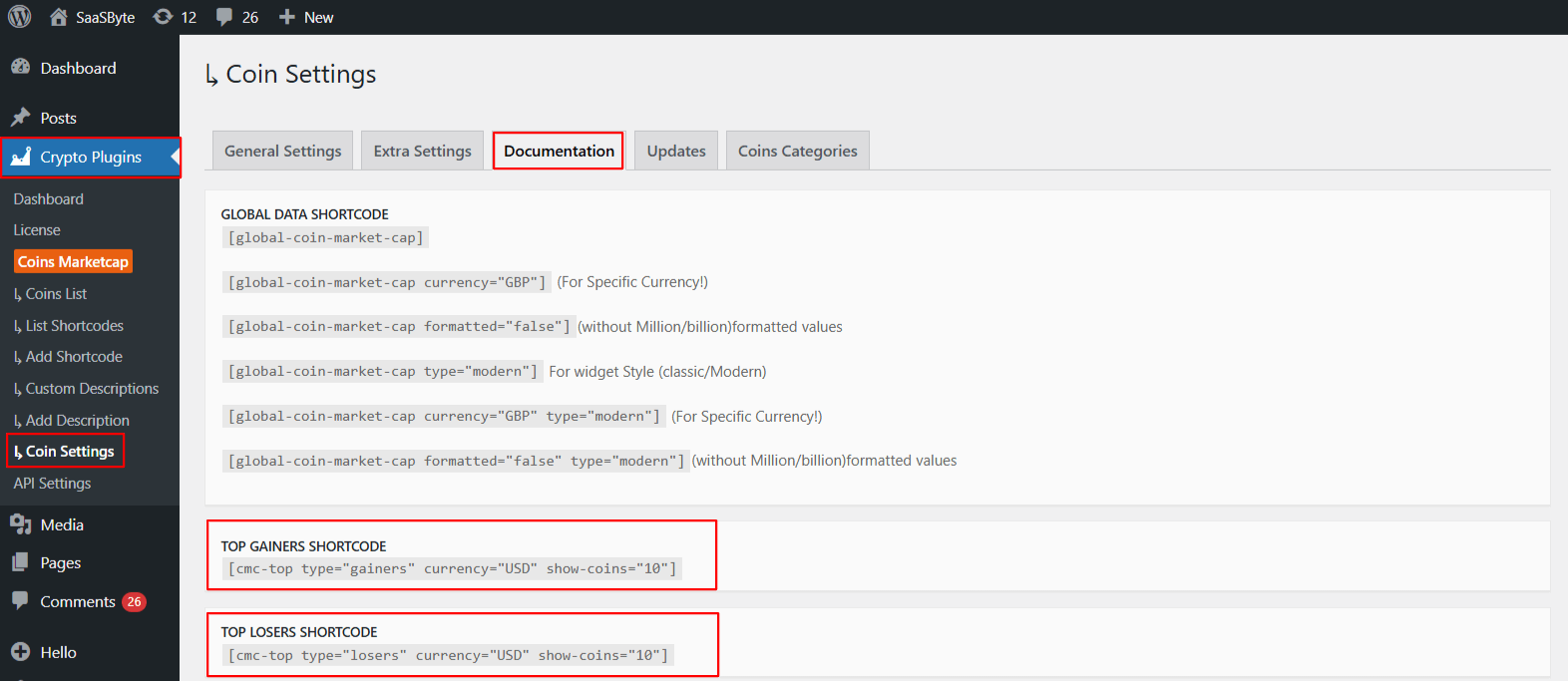
Global Marketcap
The Global Marketcap shortcode allows you to display worldwide cryptocurrency market statistics using shortcode.
- You can access its shortcode by navigating to: Crypto Plugins > Coins MarketCap > Coins Settings > Documentation.
- Copy the shortcode and paste it into any page/post, and give users a quick overview of the crypto market.
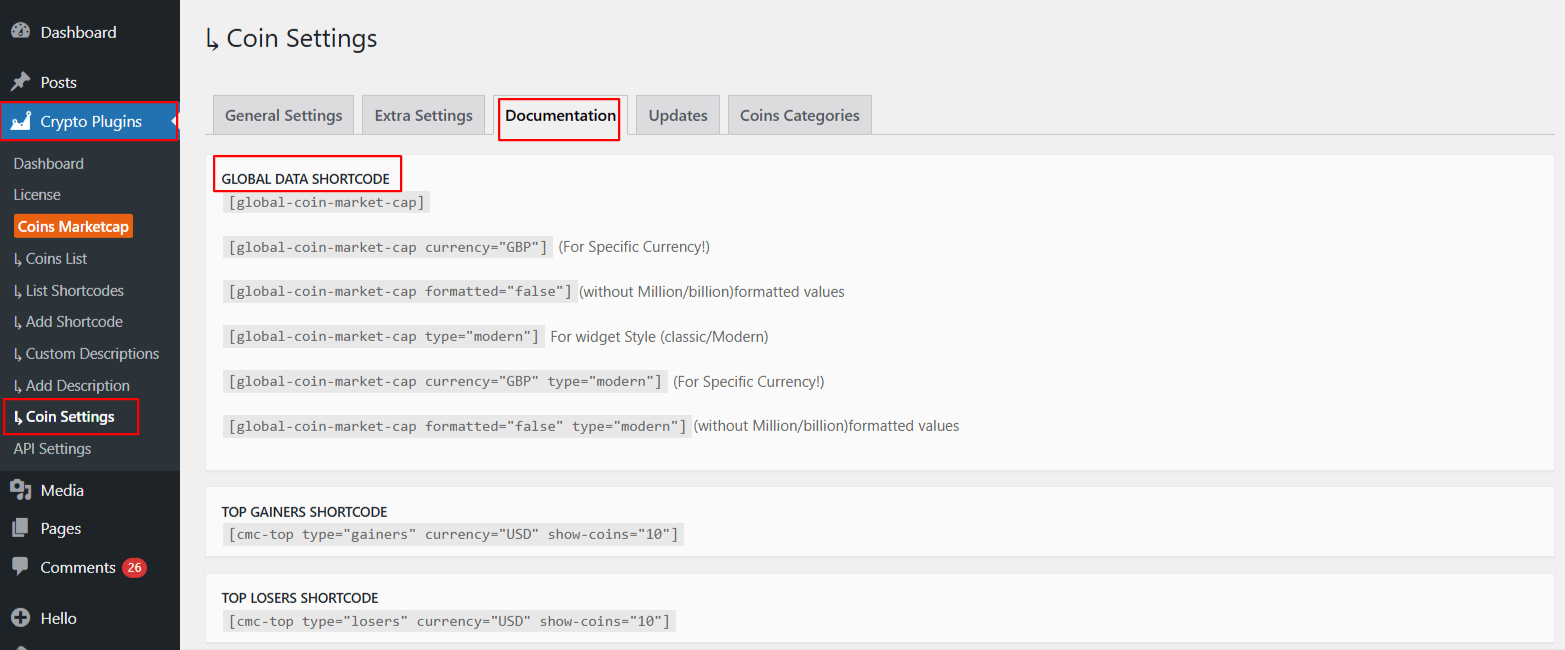
Other shortcodes for custom coin page
You can use the following shortcodes to build a fully customized single coin page. Instead of using one big shortcode that displays everything, these individual shortcodes allow you to build your own layout by adding only the sections you want.
- You can access its shortcode by navigating to: Crypto Plugins > Coins MarketCap > Coins Settings > Documentation.
- Copy the shortcodes and paste them into any page/post to design a fully customized single coin page.