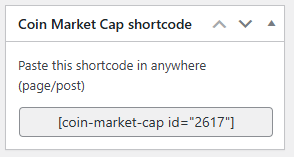
Using Coins MarketCap plugin, you can display a customizable cryptocurrency table anywhere on your website via a simple shortcode.
A shortcode is a simple code snippet that you can insert into your WordPress posts, pages, or widgets to display real-time crypto data. Think of it as a command that tells WordPress, “show my crypto data here in this style, with these specific settings.“
Add Shortcode
Follow the steps below to display a customizable cryptocurrency table using shortcode:
- From your WordPress dashboard, navigate to Crypto Plugins > Coins MarketCap > Add Shortcode.
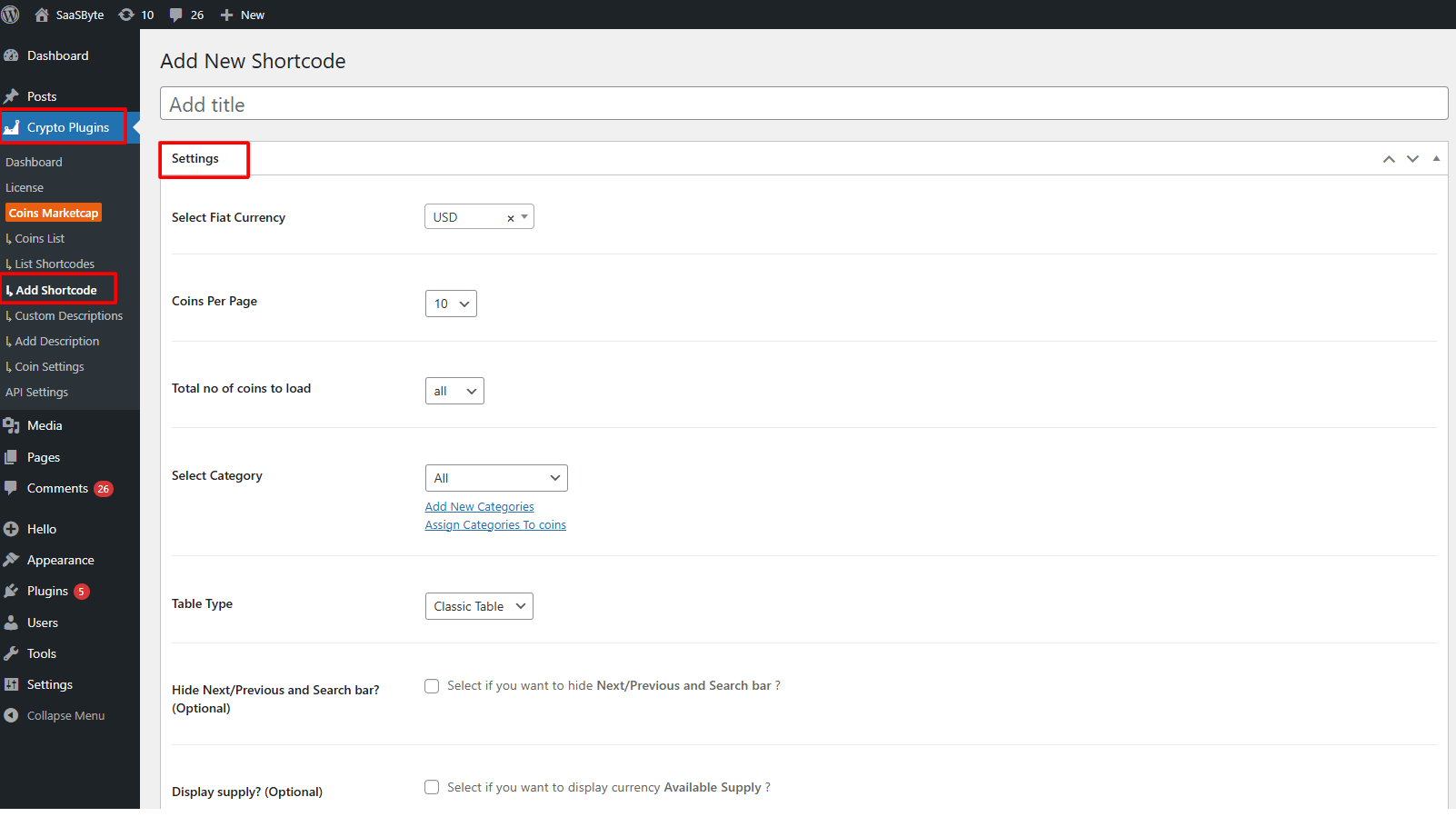
- From Settings:
- Select Fiat Currency: Choose the currency (USD, EUR, INR, etc.) in which prices should appear in the coins list.
- Coins Per Page: Set how many coins you want to show on each page of the table.
- Total No. of Coins to Load: Select how many total coins you want to include in the list. You can load all coins or limit it to a specific number.
- Select Category: Choose a category if you want to display coins from a specific group only.
- Table Type: Choose the table design you prefer, Classic Table or Modern Table layout styles.
- Hide Next/Previous and Search Bar?: Select if you want to hide the pagination and search bar from the table.
- Display Supply?: Check this option if you want to show the available supply of each cryptocurrency.
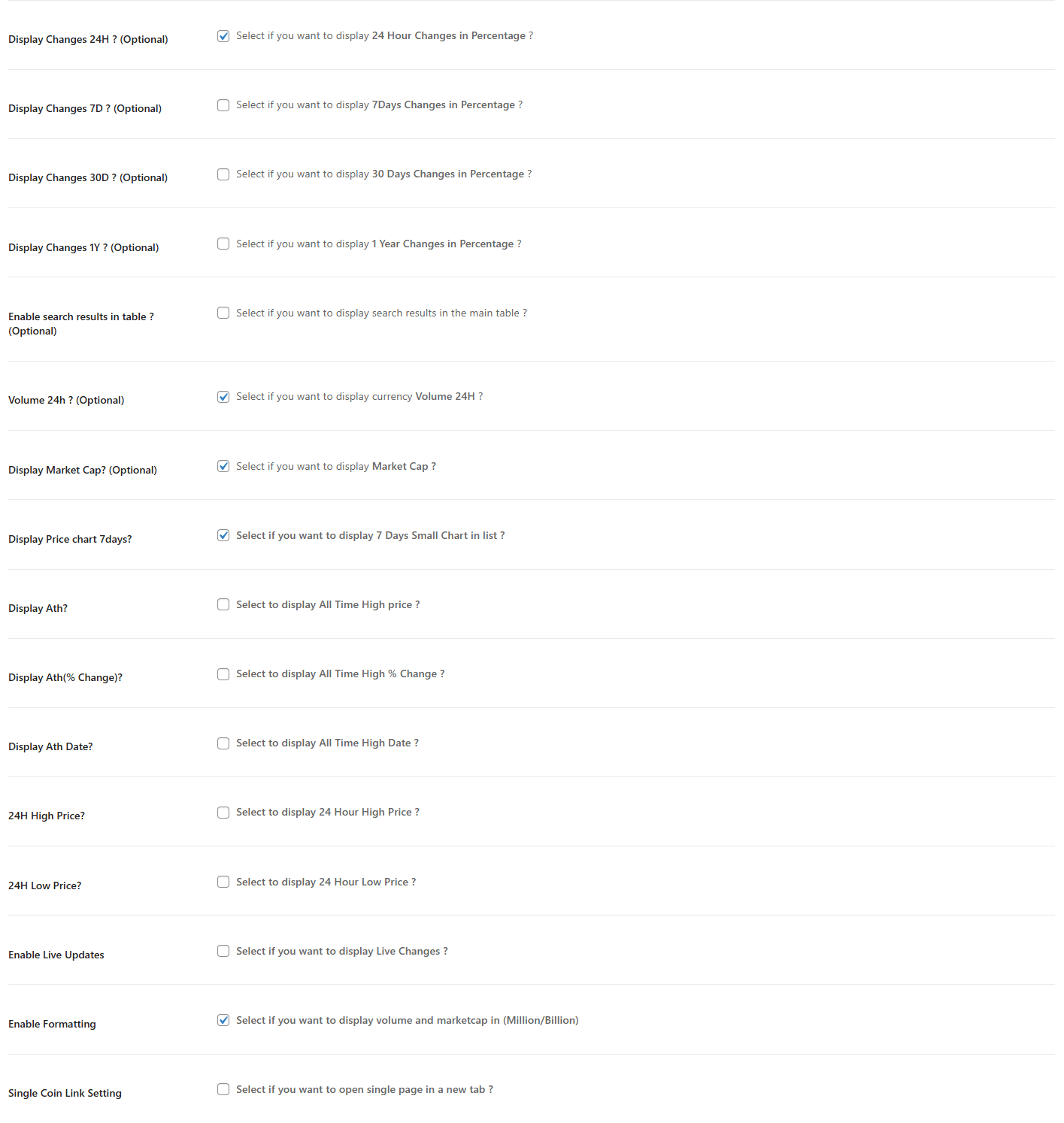
- Display Changes 24H?: Turn this on to show the 24-hour price change percentage.
- Display Changes 7D?: Enable this to display the 7-day price change percentage.
- Display Changes 30D?: Show the 30-day price change percentage for better trend visibility.
- Display Changes 1Y?: Select if you want to show the 1-year price change percentage.
- Enable Search Results in Table?: Turn this on to show search results directly inside the main table.
- Volume 24H?: Display the 24-hour trading volume of each coin.
- Display Market Cap?: Enable this option to show each coin’s market capitalization.
- Display Price Chart (7 Days)?: Show a small 7-day chart beside each coin for quick trend analysis.
- Display ATH?: Enable this to show the All Time High price.
- Display ATH% Change?: Show how much the coin’s current price is up or down compared to its all-time high.
- Display ATH Date?: Enable this to display the date when the coin reached its all-time high.
- 24H High Price?: Show the highest price reached by the coin in the last 24 hours.
- 24H Low Price?: Display the lowest price reached by the coin in the last 24 hours.
- Enable Live Updates: Turn this on to enable real-time price updates without page reload.
- Enable Formatting: Show large numbers like market cap and volume in a formatted style (Million/Billion).
- Single Coin Link Setting: Enable this if you want coin names to open their single-coin page in a new tab.
After being satisfied, click publish, a shortcode will be generated. Copy this shortcode and paste it anywhere on your site, pages, posts, sidebars, footers, or page builders.