Using the Coins MarketCap plugin, you can display a list of cryptocurrencies filtered by a specific category. This helps you highlight only those coins that belong to segments like DeFi, NFT, AI, Layer-2, Metaverse, or any other category defined in your plugin settings.
Follow the steps below to display the coins list via category:
Add New Category
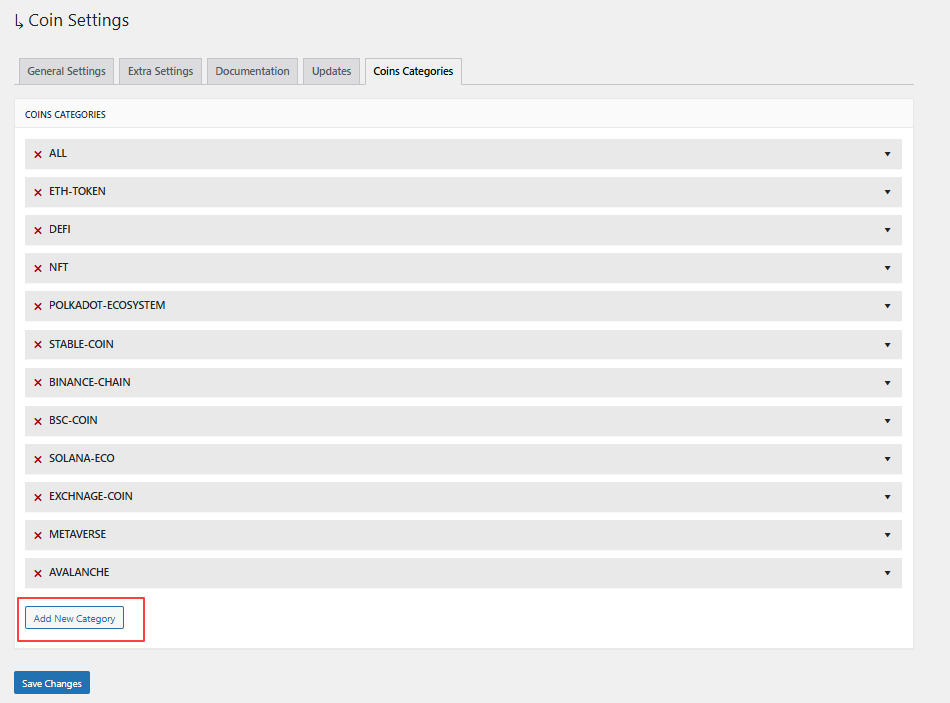
- From your shortcode settings, click Add New Categories (shown below the category dropdown).

- The Coin Settings Panel will open, click Add New Category.
- Enter the category name you want to create.
- Save the category.
Assign Categories to Coins
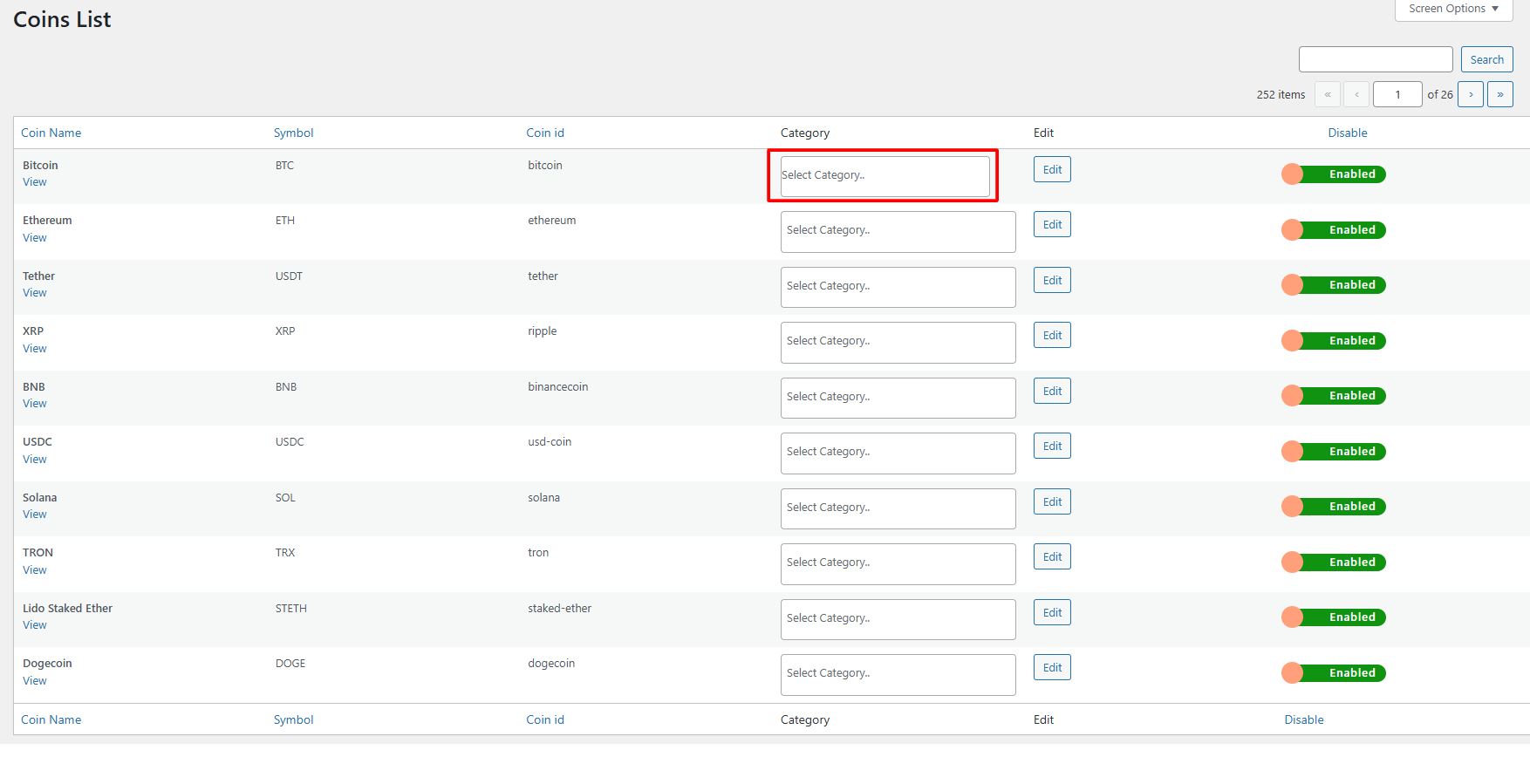
- Click on Assign Categories To Coins (shown below the category dropdown).

- Coin List tab will open.
- Now, select the coin and assign the relevant category.