The Cryptocurrency Exchanges List plugin is fully compatible with the Coins MarketCap plugin. When both plugins are active on your website, an additional Exchanges tab is automatically added to every single coin page generated by the Coins MarketCap plugin.
Add Exchanges List in Default Single Coin Pages
After activating both plugins:
- Go to any coin detail page created by the Coins MarketCap plugin.
- You will see a new Exchanges tab added automatically.
- This tab displays exchange prices for that specific coin using live API data.
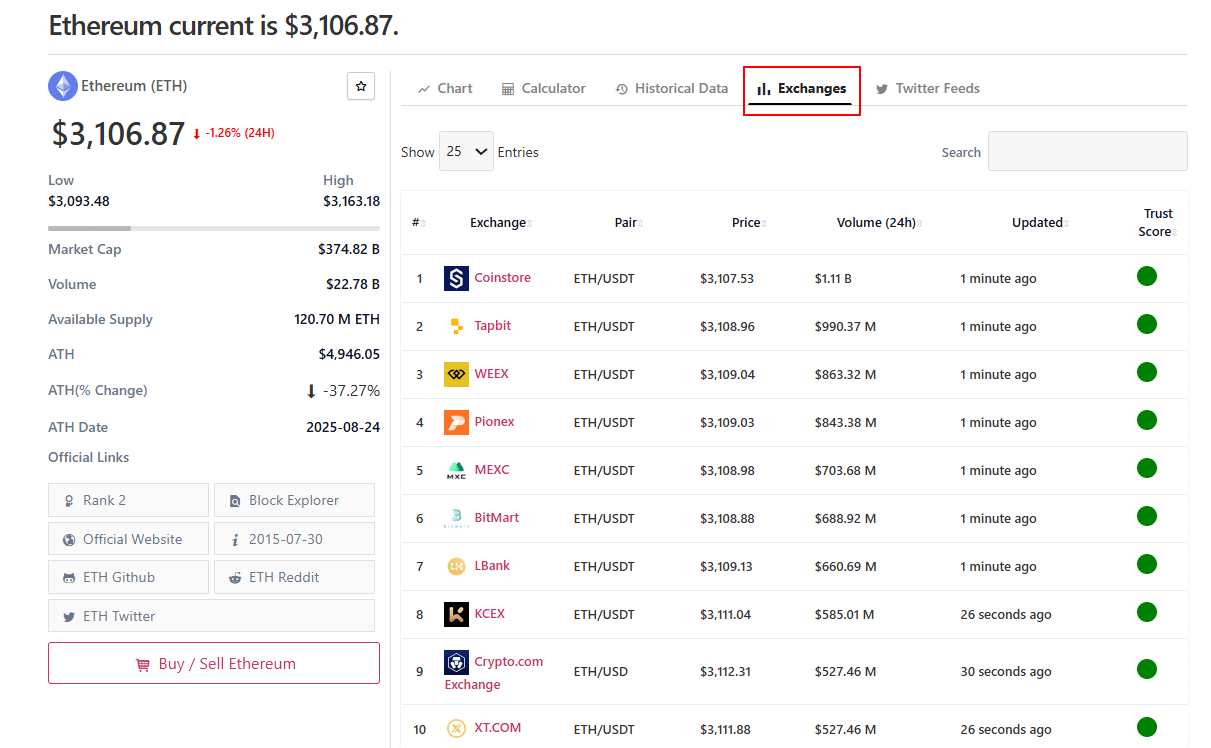
You don’t need to add or modify shortcodes for the auto-generated single coin pages.
Add Exchanges List in Custom Single Coin Pages
If you are using a custom single coin page instead of the default ones, you can manually insert the exchange prices section using a shortcode. Follow the steps below:
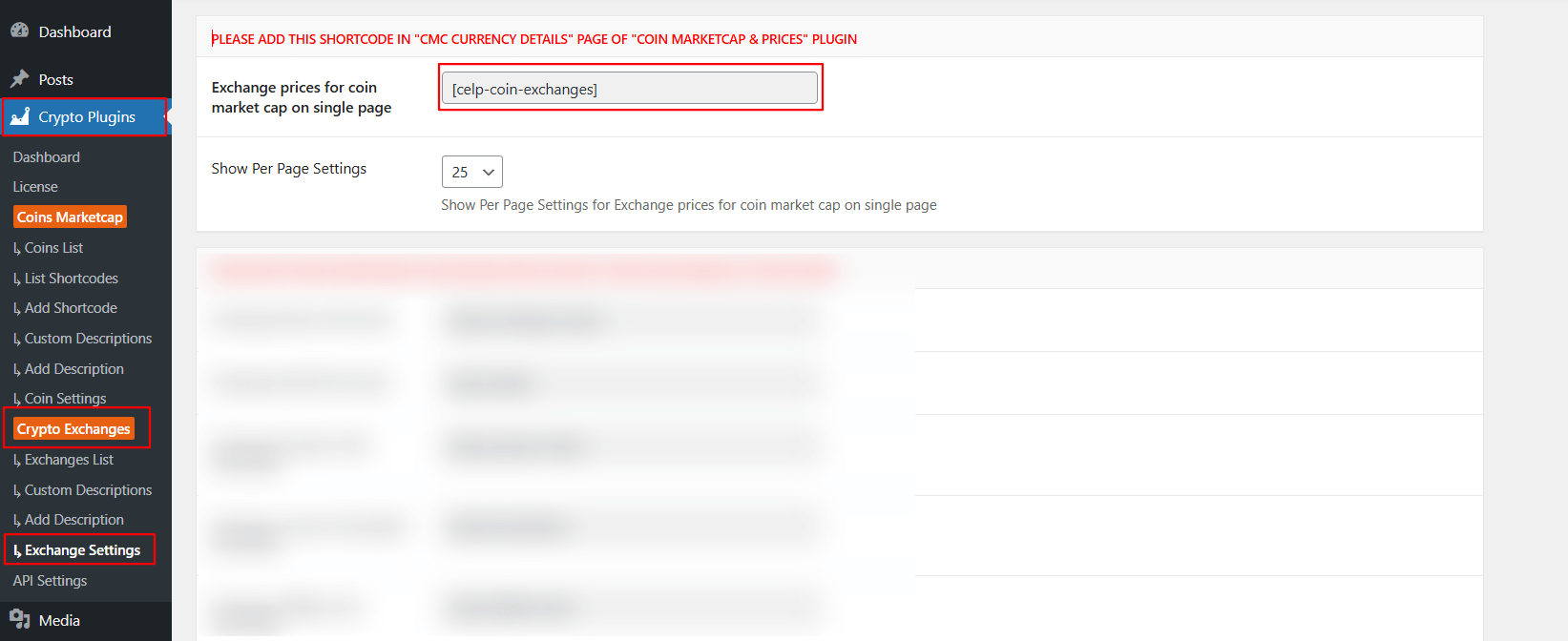
- From your WordPress dashboard, navigate to Crypto Plugins > Crypto Exchanges > Exchange Settings
- Scroll to the section labeled: Exchange prices for coin market cap on single page
- Copy the shortcode.
- Open your custom single coin page.
- Paste the shortcode where you want the Exchanges section to appear.
- Publish/Update the page.
Once added, your custom coin page will display all exchange prices for that specific coin.