Using the Cryptocurrency Exchanges List plugin, you can display a complete list of cryptocurrency exchanges anywhere on your WordPress website using a simple shortcode.
A shortcode is a simple code snippet that you can insert into your WordPress posts, pages, or widgets to display real-time crypto data. Think of it as a command that tells WordPress, “show my exchange data here in this style, with these specific settings.“
Display Exchange List
Follow the steps below to display the exchange list via shortcode:
- From your WordPress dashboard, navigate to Crypto Plugins > Crypto Exchanges > Exchange Settings.
- Scroll to the Exchange List Shortcode section.
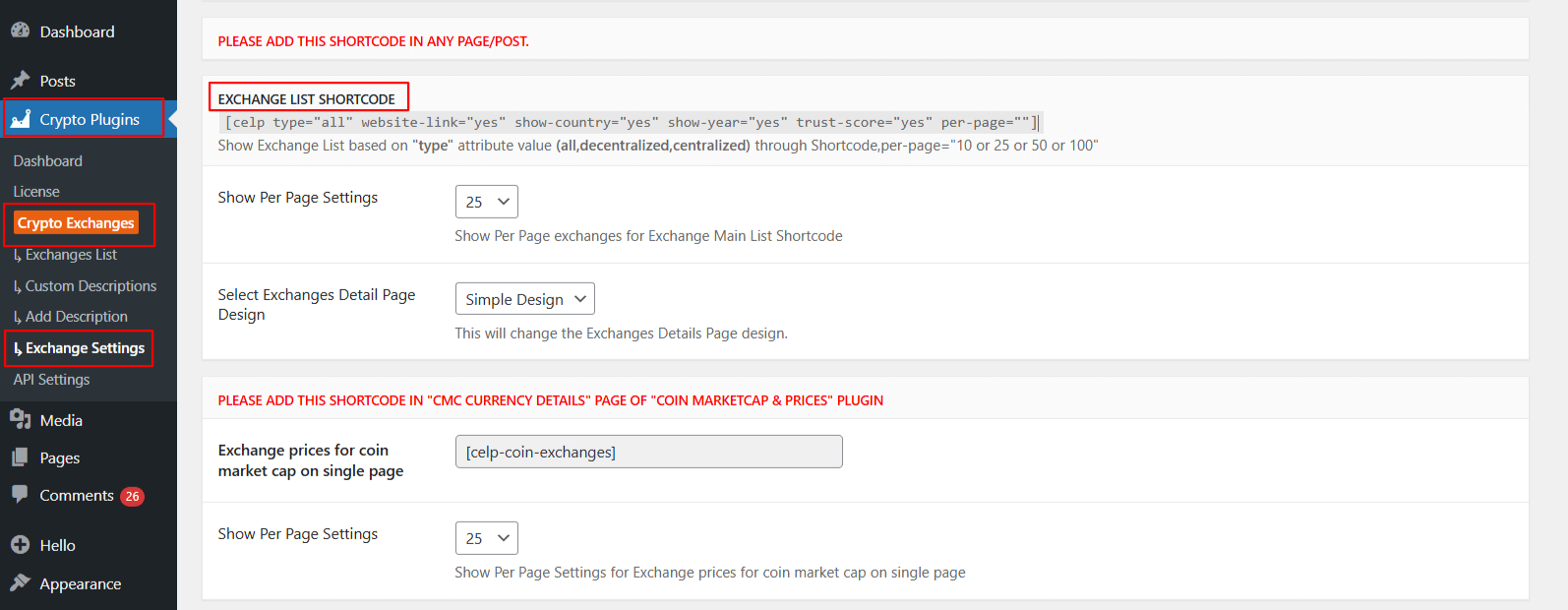
- Show Per Page Settings: Enter the number of exchanges you want to display per page.
- Exchange Detail Page Design: Choose the layout/design you want for exchange detail pages.
- After being satisfied, save your changes.
- Now, copy and paste the shortcode into any page or post where you want to display an exchange list/table.
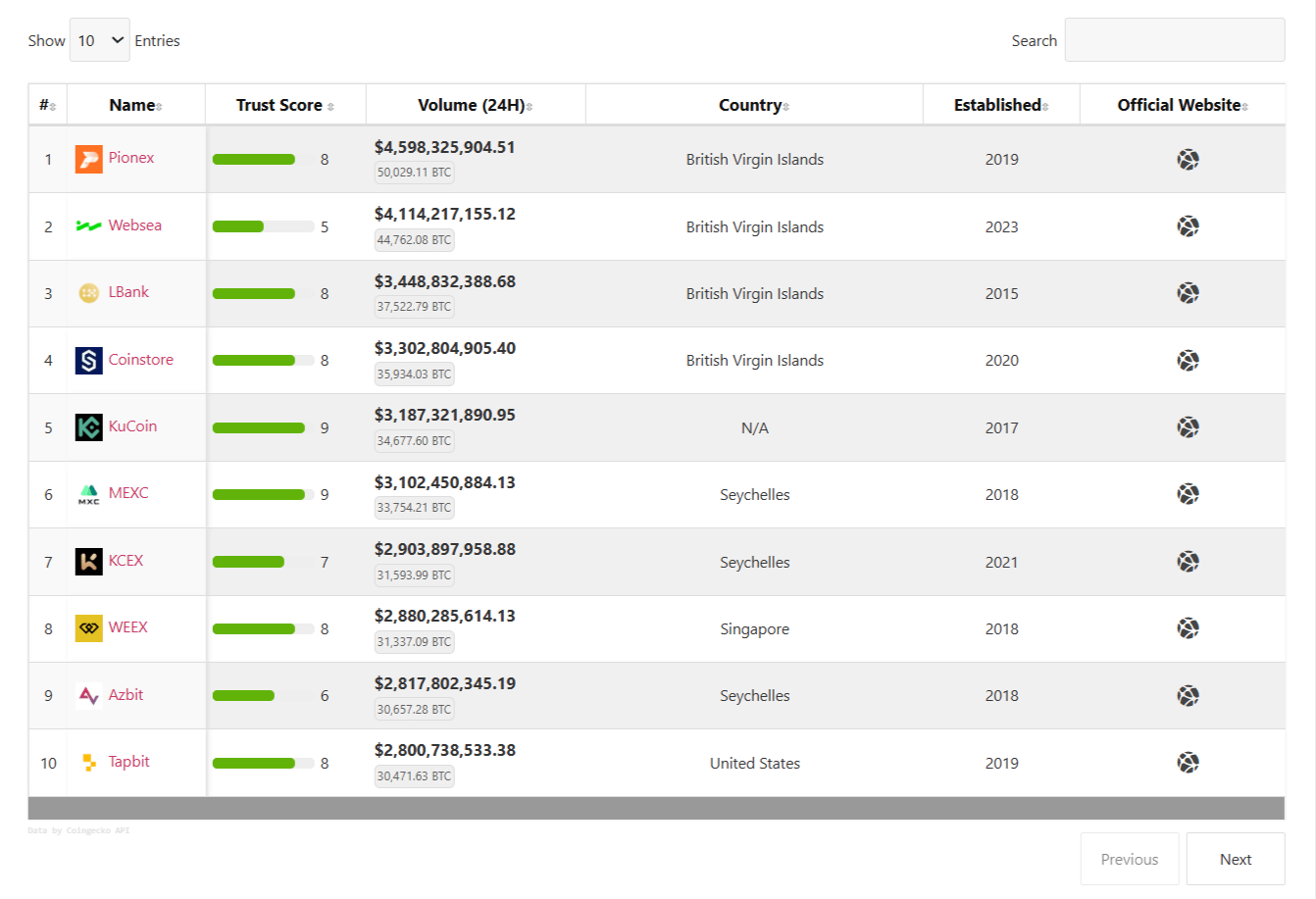
Output
Enable/Disable Exchanges
The Cryptocurrency Exchanges List plugin allows you to easily choose which cryptocurrency exchange to show or hide in your coin tables.
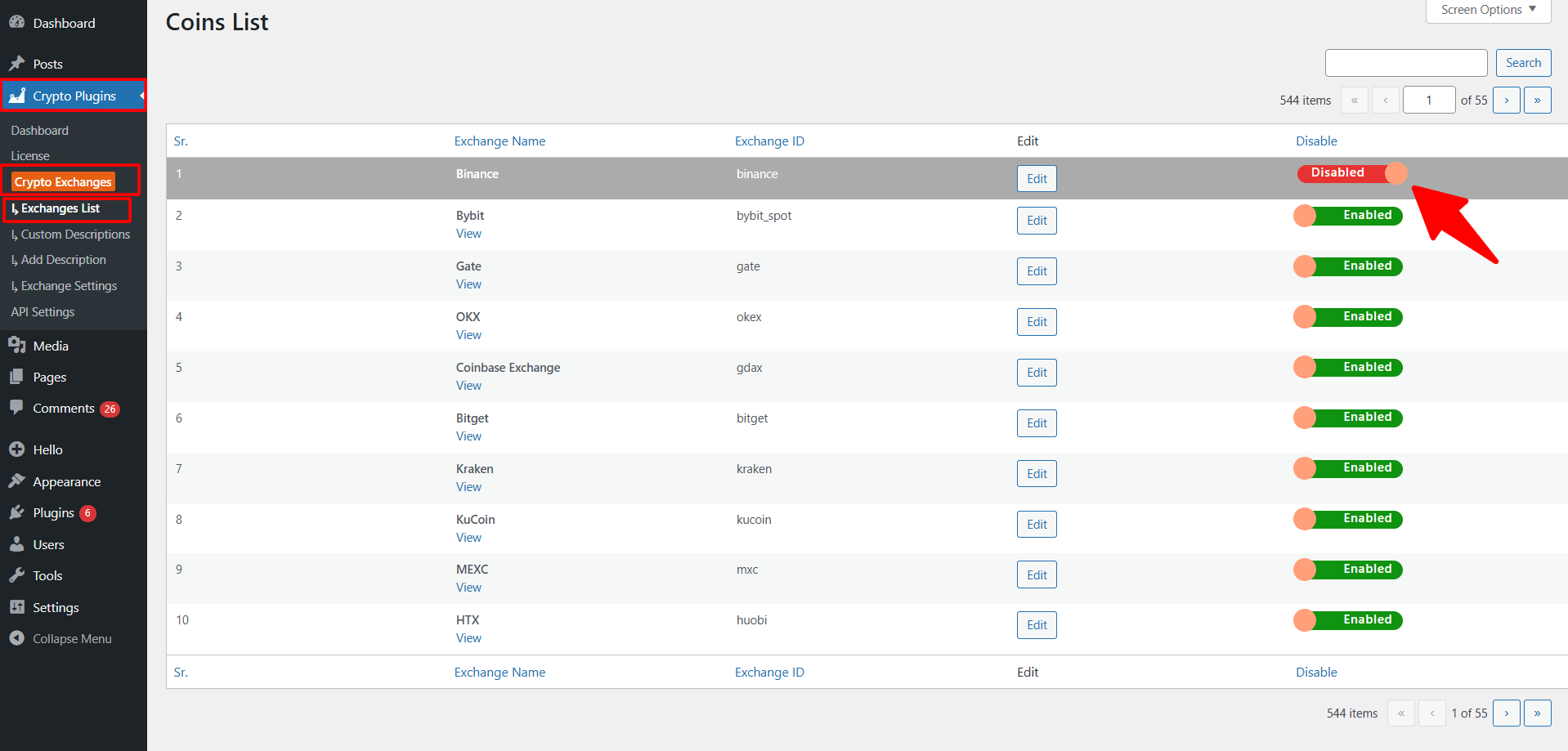
- From your WordPress dashboard, navigate to Crypto Plugins > Crypto Exchanges > Exchanges List.
- You will see a complete list of all available cryptocurrency exchanges.
- To disable an exchange, simply turn off the switch beside that coin, and to enable an exchange, turn the switch back on.
- After making your changes, the plugin will automatically update the display. No shortcode changes are required, your tables will immediately reflect the updated list.