
Using Coins MarketCap plugin, you can easily optimize your single coin pages by adding dynamic SEO titles, descriptions, sitemap generation, and custom content to improve ranking and user engagement.
Dynamic SEO Title/Description for Coin Pages
Follow the steps below to add dynamic seo title/description for coin pages:
- From your WordPress dashboard, navigate to Crypto Plugins > Coins MarketCap > Coins Settings.
- Next, go to General Settings.
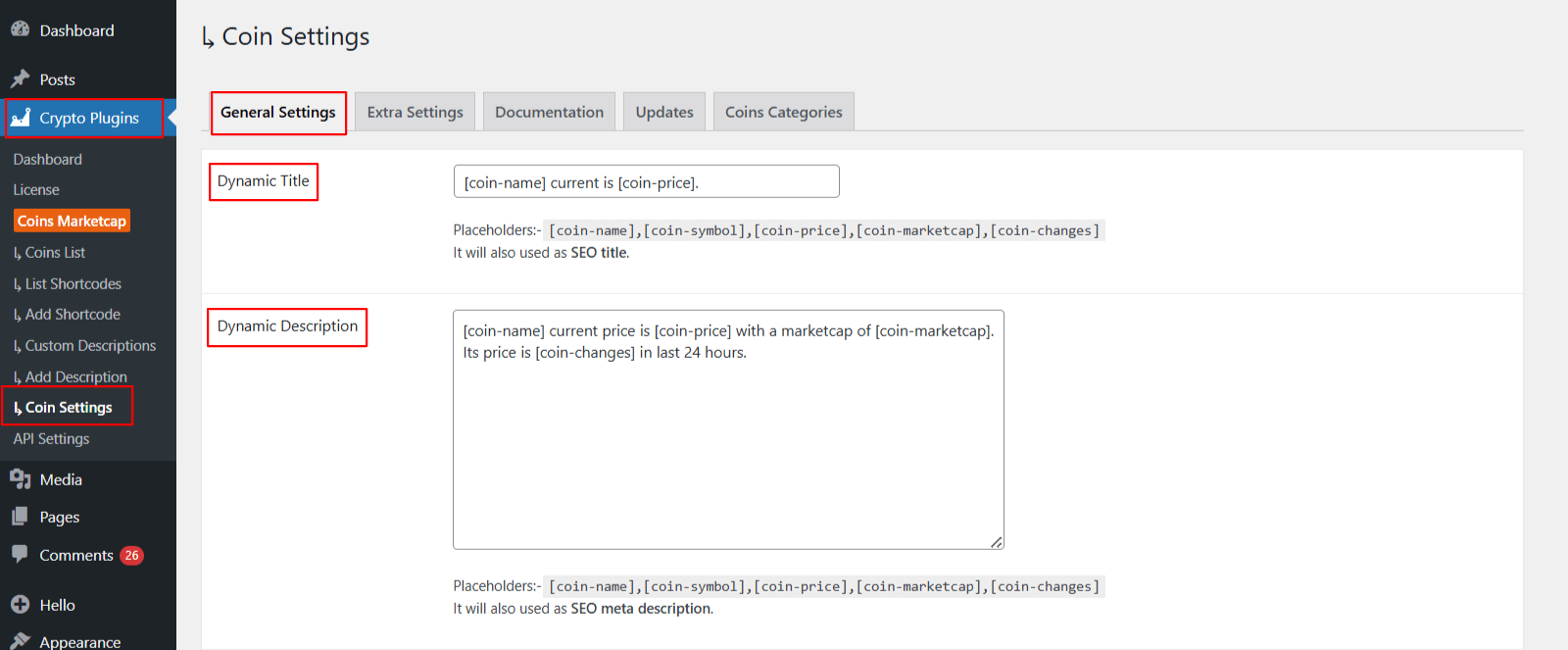
- Dynamic Title: Set a dynamic SEO title using placeholders like
[coin-name],[coin-price], or[coin-changes]. The plugin automatically applies this title to every individual coin’s single page. - Dynamic Description: Create an automatic SEO-friendly description using placeholders like
[coin-name],[coin-price],[coin-marketcap], or[coin-changes]. This description is applied automatically to each coin’s single page. - After being satisfied, save your changes.
Generate Sitemap
The “Generate Sitemap” feature in Coins MarketCap helps search engines discover and index all the single-coin pages created by the plugin, making sure every coin page can be crawled and ranked by Google or other search engines.
Follow the steps below to generate a sitemap:
- From your WordPress Dashboard, navigate to Coins MarketCap > Coins Settings > Updates.
- Click Generate Sitemap option.
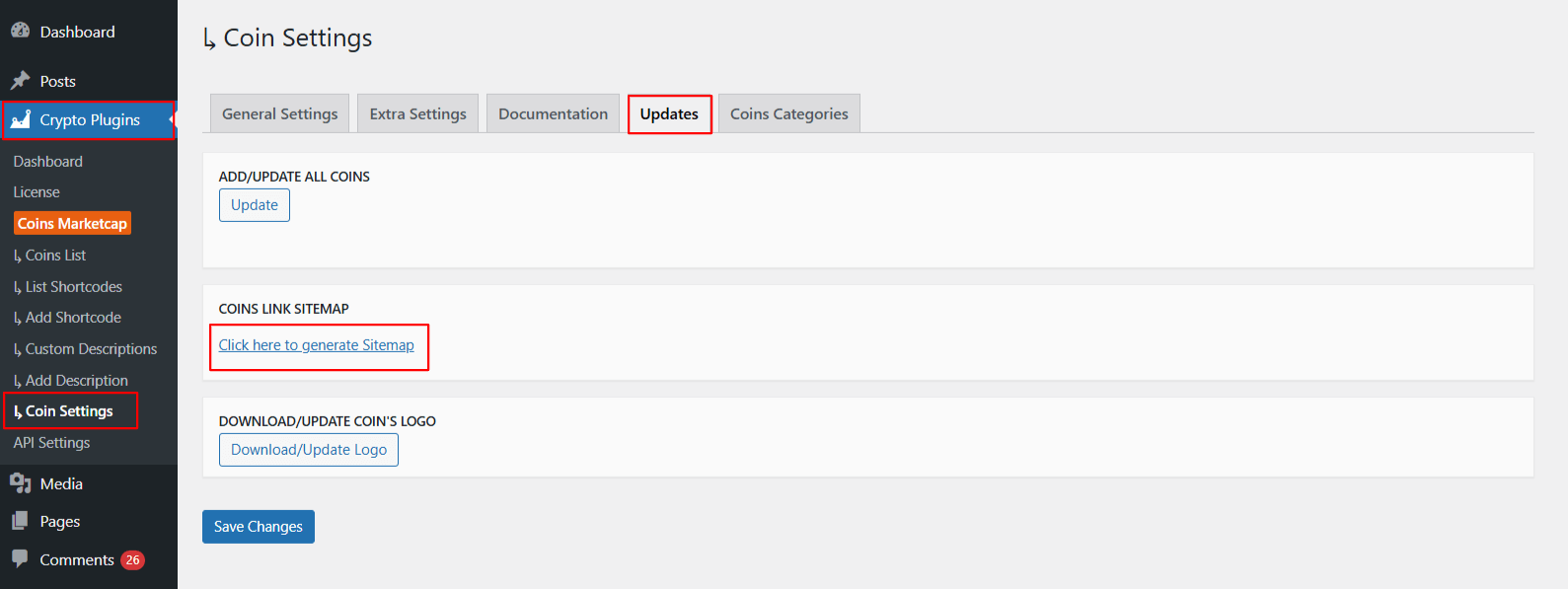
- Wait for the plugin to generate the sitemap.
- Once the sitemap is generated, you can download it or copy the sitemap URL.
- Submit the sitemap to search engines such as Google or Bing to help them index your website’s pages.
Add Custom Content on Coin Single Pages
The Custom Description feature allows you to manually add detailed information for any cryptocurrency.
Follow the steps below to add custom description:
- From your WordPress dashboard, navigate to Crypto Plugins > Coins MarketCap > Add Description
- Click Add New to create a new description.
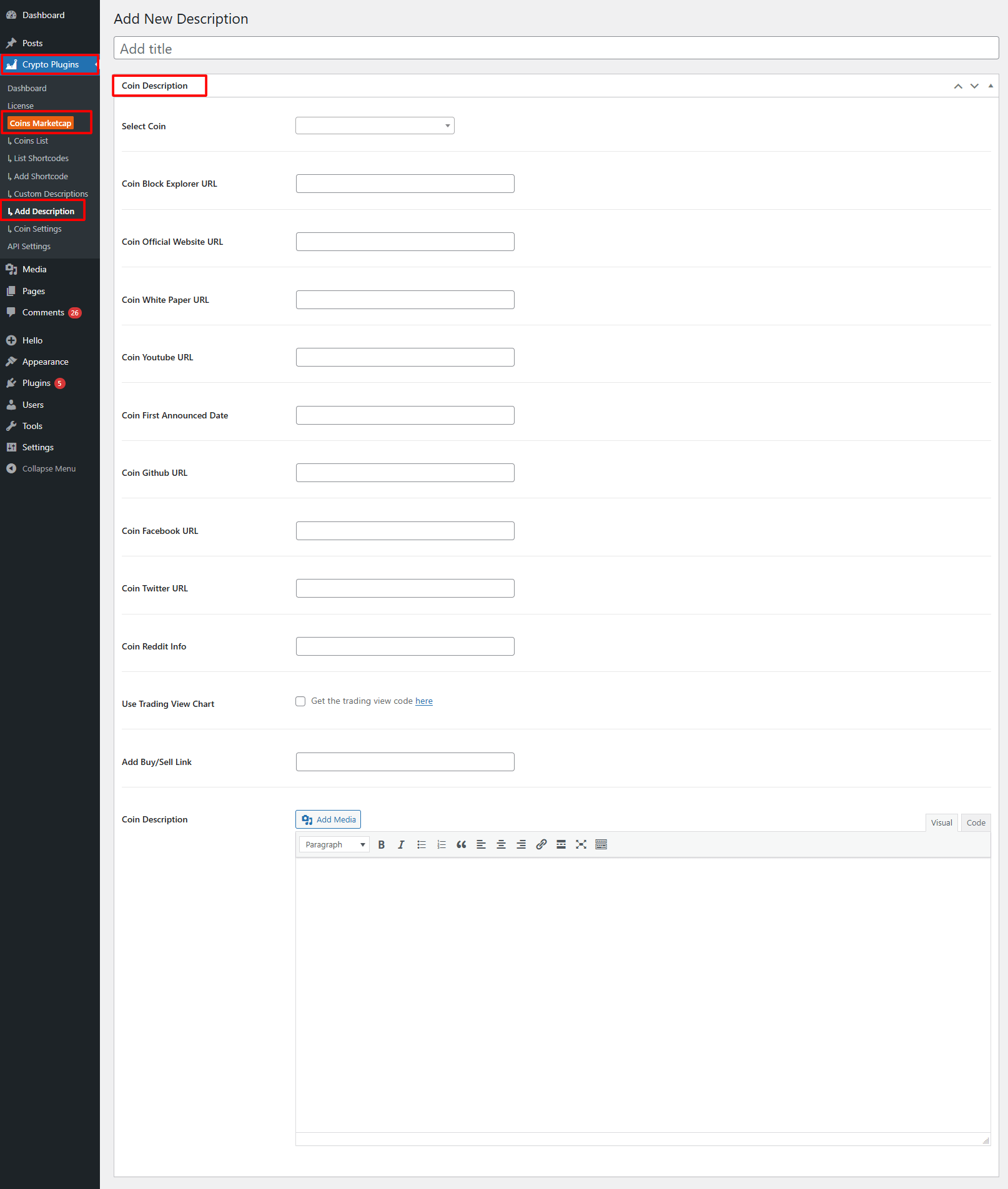
- Select the coin from the dropdown for which you want to add or edit the description.
- Next, fill the following details:
- Coin Block Explorer URL: Enter the link to the coin’s blockchain explorer.
- Official Website URL: Add the official website of the cryptocurrency project.
- Whitepaper URL: Paste the link to the coin’s whitepaper.
- YouTube URL: Add a link to any official YouTube video or the project’s YouTube channel.
- First Announced Date: Enter the date when the cryptocurrency was first announced.
- GitHub URL: Provide the link to the project’s GitHub repository.
- Facebook URL: Add the coin’s official Facebook page.
- Twitter URL: Enter the coin’s official Twitter (X) profile.
- Reddit Info: Paste the link to the coin’s Reddit community or subreddit.
- TradingView Chart Code: Check this option if you want to embed a chart.
- Buy/Sell Link: Add a link where users can buy or sell the cryptocurrency.
- Coin Description: Add your custom coin description.
- After satisfied, click Publish to save your description